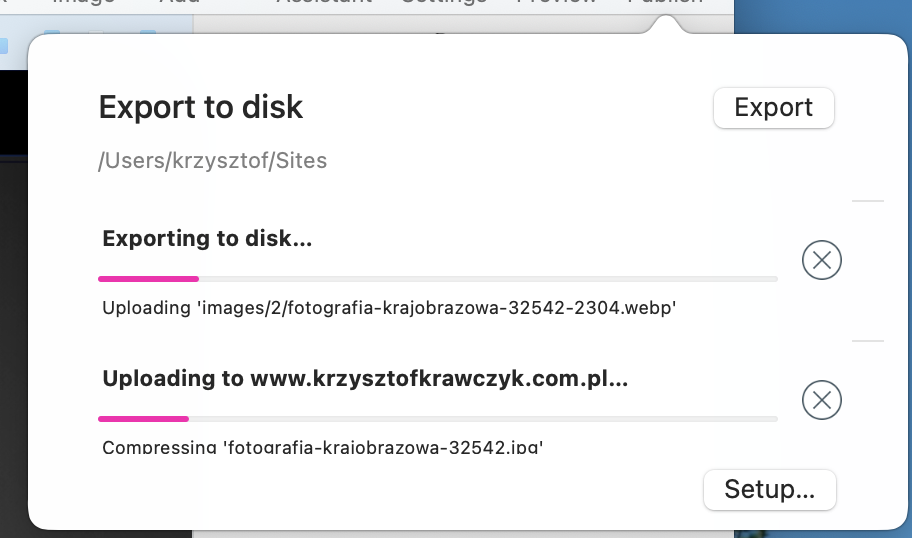
Hi @kkrexc, if by “transmission” or “file transfer” you mean the process of publishing the website, it’s not just pure file transfer, the entire website is being generated from scratch every time. It’s as fast as we can make it, and there are certainly ways we can develop it further to improve the speed, but you can’t work around it currently.
Yes, I understand “transmission” as the process of publishing a page. I don’t know what broke in the new version, but before that this process took a while. Now it lasts a few hours and only, as I estimate, it is maybe 10%. Unfortunately, it can’t be that you can’t lead it faster. I used to have a problem with publishing via FTP, now there is also a problem, but this time it is temporary. I’ll leave the computer overnight with this process and I’ll be able to get something after the day.
The process took a while in Sparkle 5 und now takes the absolut same time in Sparkle 6… not super fast, but as fast as it was in every older version… nothing broke, I think
Did you try to upload one after another instead of all two or three at the same time. I think I came across this same problem once, but never had it when uploading one by one.
Yes, of course. I only showed an example of uploading files for publication.
I usually did it one by one and once it went quite quickly and even in parallel - on the disk and on the server.
And now I’m already upset, because if I see an error on the website and correct it, it turns out that it takes at least 6 hours to publish the page. The files were not loaded until after midnight.
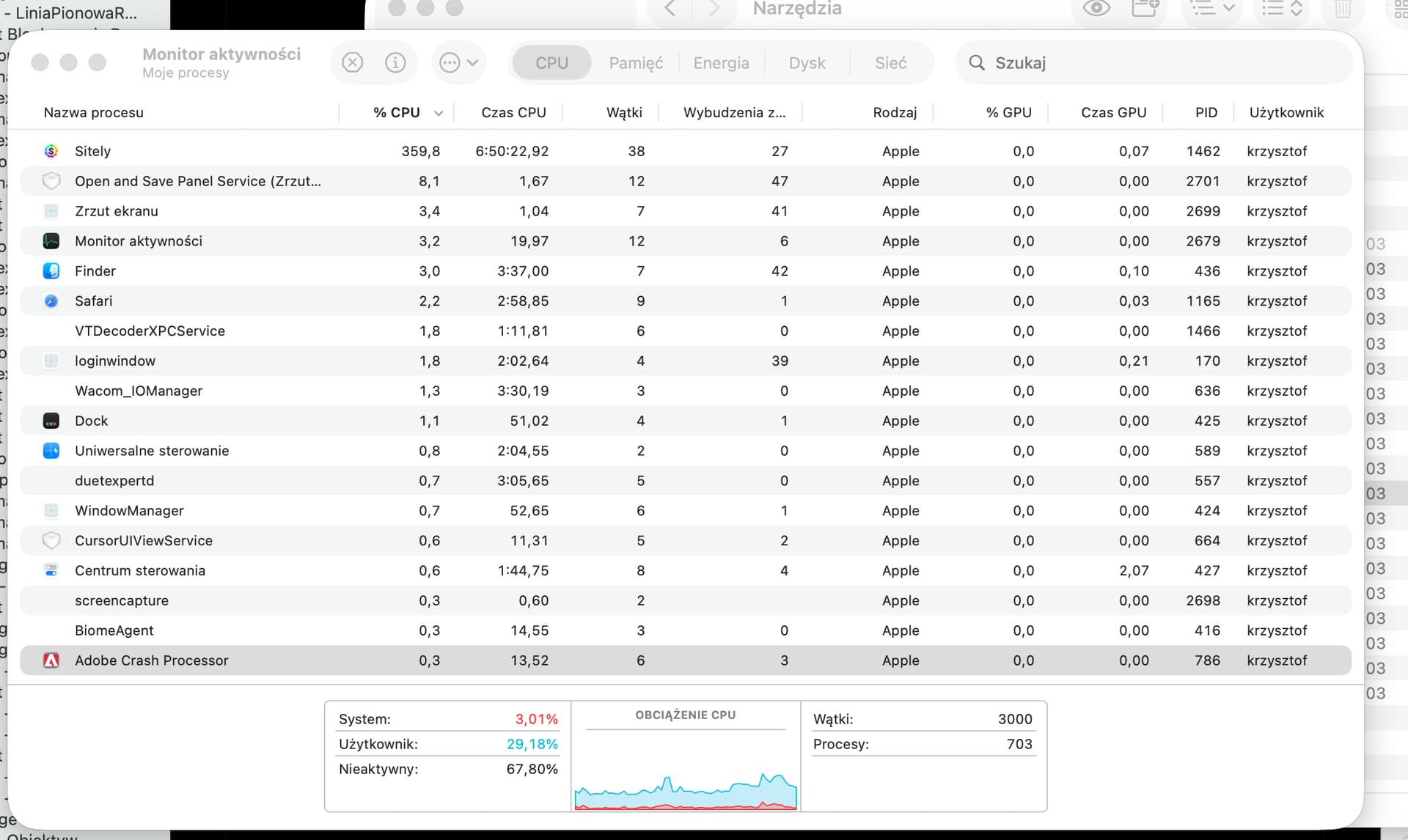
I’m worried about the CPU load. I have an M1 Max in my MacBook!!!
Before you suspect the wrong, have you tested the upload performance of your FTP connection to the server? Which FTP type are you using: FTP/TLS or SFTP?
Do the permissions on the FTP server match your login credentials?
To verify your FTP connection, try uploading a test file using FileZilla or Cyberduck:
In FileZilla, connect to your server and drag a small test file into the remote directory. The transfer speed and status messages will be shown in the lower panel.
If the upload is slow or fails, open View → Message Log to review detailed connection messages and potential errors (timeouts, permission issues, encryption mismatches, etc.).
In Cyberduck, perform the same test and check the Transfer window and Log Drawer for detailed upload performance and error messages.
This helps you confirm whether the issue is caused by the FTP connection or by Sitely itself.
Before I write anything here, I will check other important elements beforehand.
It used to be that I couldn’t just send files to the server by Sitely. At that time I was convinced that I had the wrong settings with the server. I checked - they were correct. Then that the server itself has an error - I checked - the server worked correctly. The whole thing lasted until a fix for version 5 appeared.
And so, out of curiosity, I will ask, what should I check if uploading files, the so-called publishing of the page on the local disk of the computer, takes from 6 ÷ 8 hours?
I checked the server load, checked the disk capacity, cleared the cash memory and what else can I check, since the processor load itself is recorded at 300 ÷ 500%?
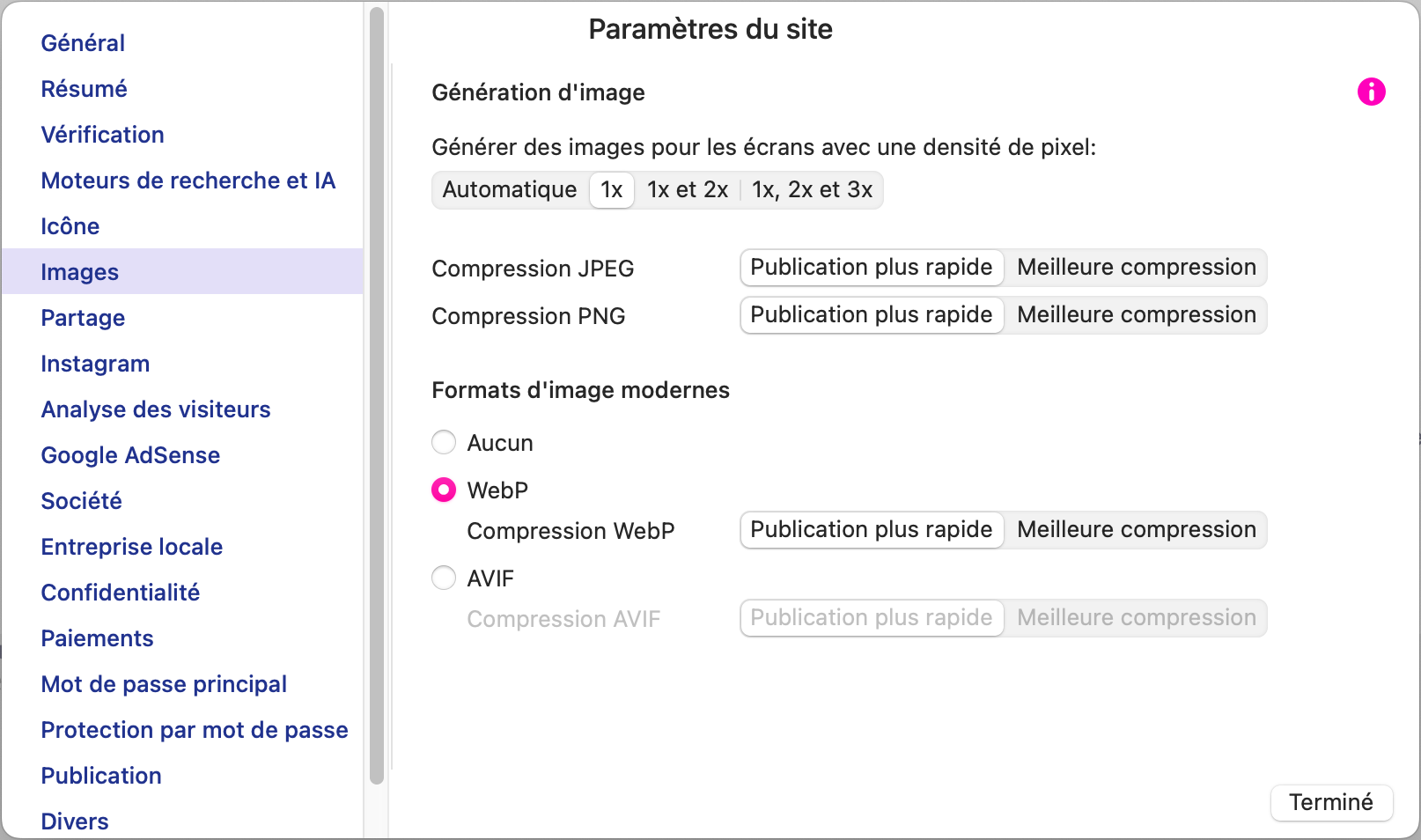
I’ve had the same issue. After a few trials, it seems that it comes from the images (Settings panel). In my case it occurs when “Better compression” is selected and “Image generation” is set on “Automatic” or “1x, 2x and 3x”.
Hope it helped (and understable, as you guessed seeing the screen capture, English isn’t my native language)
The problem is that I have always had such settings with the setting to “Faster Publication” and I think that’s not the reason.
Analyzing the entire process, I am more inclined to the thesis that the publication process is written with some error, because after starting it loads the processor very much.
In addition, there are other errors in the program itself for the design of the page. For example, I changed the font size of the MENU today and it turns out that the machine changes the position of the fonts so much that some items just disappear.
Another rather interesting case is that by changing, for example, the color of the page header, the color of the MENU font changes at the same time. An interesting phenomenon, although I will mention others. Version 6 only improved the process of publishing to the server, despite the fact that it takes several hours. But somehow it goes. Once a server certificate error was reported.