Is there a way to have an active state for menus… or some kind of workaround (for now I just came up with the idea of using buttons and text labels for each page, but its more complex, loose the hover effect and does not work with anchors), so that when user navigates to a page or anchor, menu display the ‘active’ label accordingly?
It’s not easy to explain to a client it can’t be done, it’s such a basic behavior everybody expects
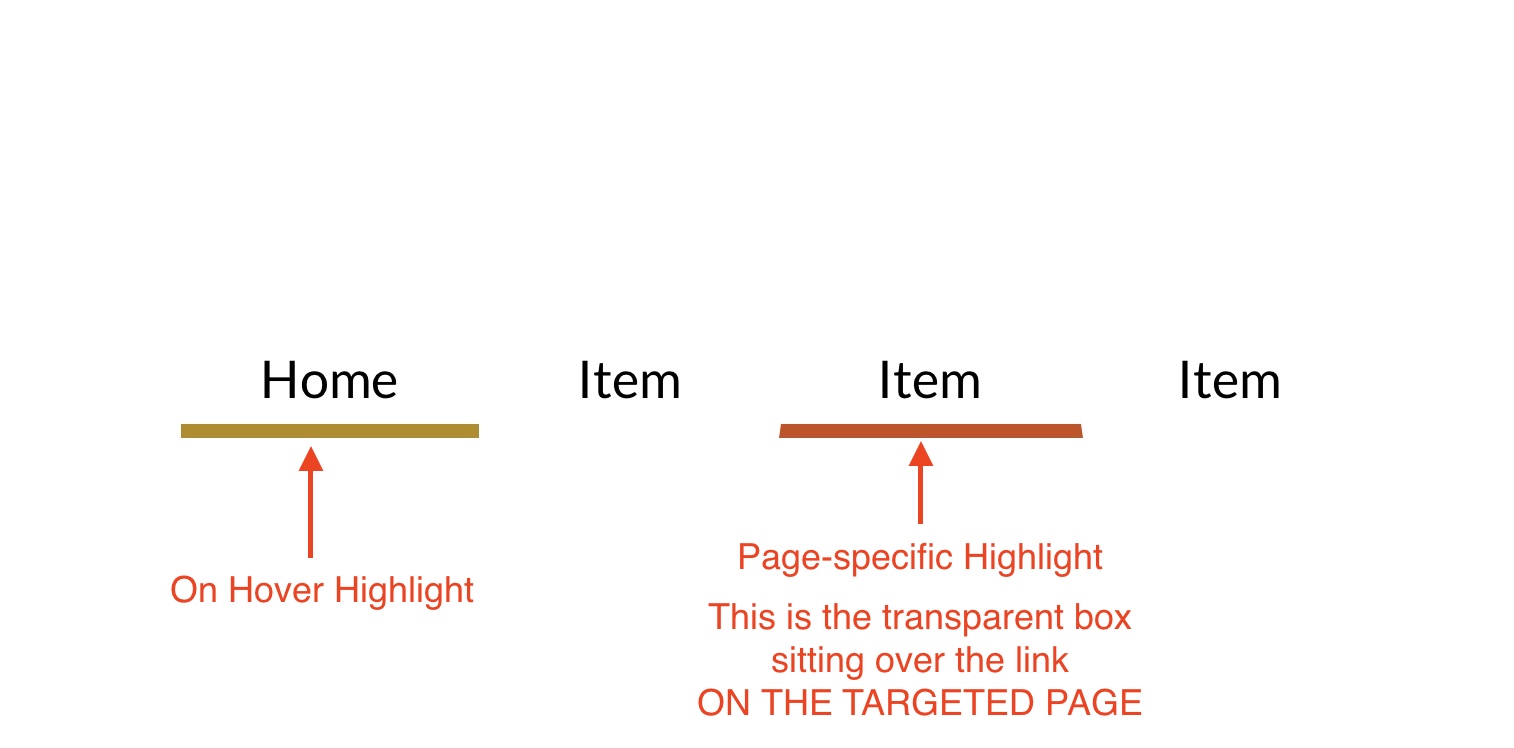
For page links, there is a simple workaround. Essentially create a transparent box with a bottom border of say 5px. Place this box over the appropriate link on the menu, but ONLY ON THE ACTUAL PAGE being linked to. Whenever that page is selected, the box will display. It will also prevent that link from being selected again if you choose to also add a fill to the box.
When it comes to anchor links, this shouldn’t be an issue because the link will usually be on the page being targeted, so the highlight will already be showing on that page - even if the anchor is on the current page. Also, unless you’re using a sticky navigation element, the menu most likely won’t be visible when an anchor link is selected.
@Stephie Thanks for your answer, but I don’t think this will work in menu’s, especially on mobile, since something like hovering simply doesn’t exist on that platform.
Fortunately, the hover feature isn’t used for indicating the currently active link - that’s just a static box element on each target page. In my example, I only use the hover feature to highlight which link is being selected, but, as you say, hover doesn’t work on touch screen devices. In any case, mobile menus are usually designed specifically for mobile devices - probably wouldn’t display a traditional navigation bar as such - more likely to be a hamburger menu that triggers a drop-down or a pop-up.
And in that menu I would like to see all available links AND a separate state for the page I’m currently on.
The only way I can seem to do this right now is to build a separate menu for each page, where the state of the current page is shown. Which seems a lot of work for something that was already deemed essential years ago.
A pity that such an essential addition to a great app like Sparkle seems to be forgotten.