One issue with my website that I just have build (completely with a blocks structure) is that (and I can not describe when exactly) sometimes the block order gets rearranged, when I change the order on one device. To make it more understandable:
When on desktop I place the blocks to NAVI A B C D FOOTER
The elements are shuffled around in mobile A B NAVI C D FOOTER
I change something in mobile back to NAVI A B C D FOOTER
And desktop gets rearranged to NAVI A D B C FOOTER
Hi @duncan and yes, I observed that, which is logical. But they reordered. Themselves differently by themselves as I switched the breakpoints. I even have put them in a certain order in the layer panel from top to bottom. Strange. Maybe I can recreate that and record it to showcase what I mean …
I’ve been experiencing this all the time I’ve been using Sparkl/Sitely. It’s been written about here many times. The only thing that really helps is to take a pencil and paper and write down the coordinates of each block. They’ll come in handy once you’re up and running, like when updating the site after a few months when you can’t remember the workflow anymore. It would be great if you could lock each resolution so that working in another doesn’t break it.
I have just tried anything and everything with the Layout Blocks on desktop and mobile to see of I can replicate the disordering issue, and Sitely plays nicely for me.
I also introduced a Layout Block on mobile and it was in the correct order when I went back to desktop. I also shifted the blocks around on desktop and when I went back to mobile they also had shifted into the new order. I didn’t experience any discrepancies between the two devices.
I should add I’m running the latest Sitely 6 on macOS Sequoia.
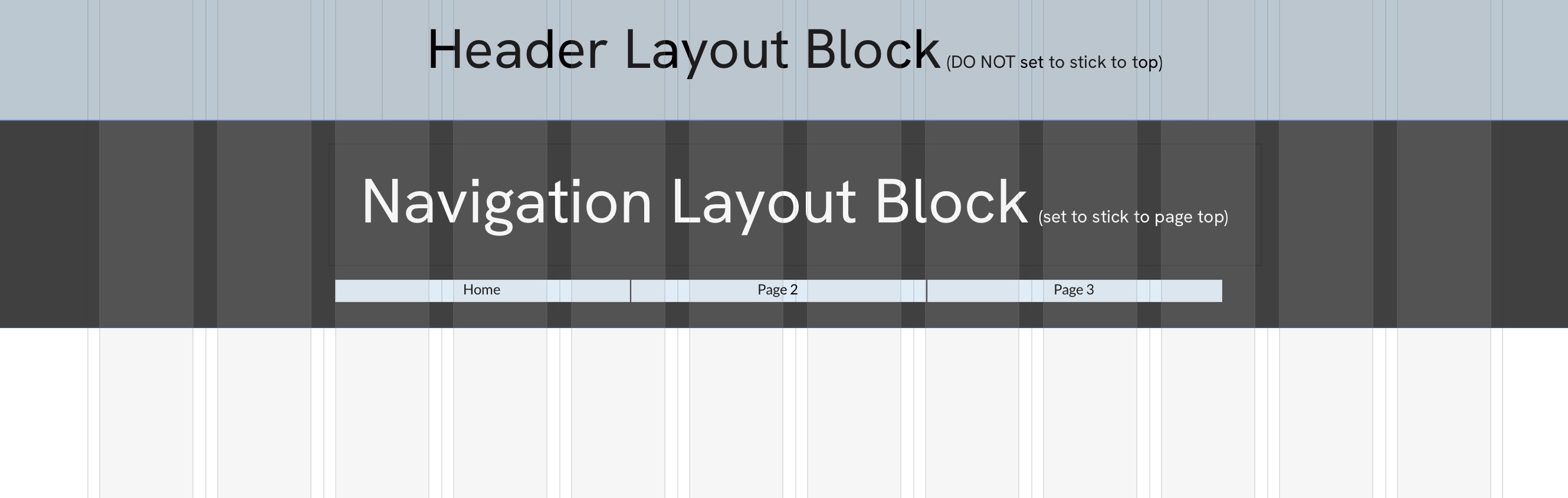
Is this why my Nav Bar which is under a small header block (the header block has my logo) keeps moving itself above the header block? It is driving me nuts! Can I get around it moving itself above my header all the time? I can’t figure out why it randomly does this - and sometimes differently on different pages
I’ve occasionally experienced something similar but found the issue to be connected to a sort of conflict in the way I set up header and navigation elements. For example setting up separate header and navigation blocks - if the navigation block is placed below the header, and then the navigation element is set to sticky (sticks to the page top), can sometimes force the rearrangement of the two blocks.
I found that a more reliable way to avoid this potential issue is to include navigation into the header block (the block containing the logo). This whole block can then be set to stick to the top of the page. It may be worth checking this on your project. Also, it may also be worth checking that the blocks do not overlap at any point - maybe add in a small gap between them.
Yes, that is the issue… but I want the Nav to stay visible during scroll and the header to disappear. It would seem that even tho they swap themselves in the document, they appear fairly correctly when uploaded, so I’m ok with it now that I know they behave correctly (for the most part).
Just to be sure, you need to set up your layout blocks like this to achieve what you want to do. you can then set both blocks to appear on all pages if required. this arrangement should stop any rearrangement as you move from page to page.