Dear Sitely team,
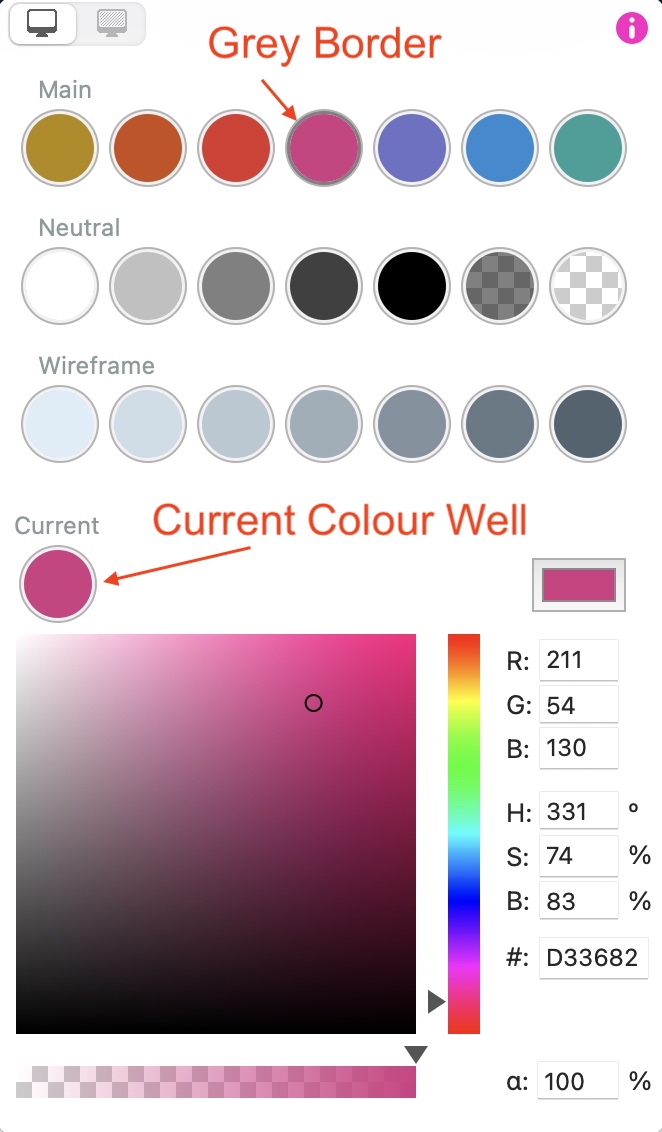
I keep accidentally changing colors from the palette (main, neutral, wireframe), because I tend to miss to set the color to “custom” in order to alter a background f.i.
I’d like it to be more visible or obvious which color selector is active.
cheers!
When changing a colour in the colour palette, the colour you’re changing will be highlighted with a grey border. If you don’t want to change the palette colour swatches, just select the object or text that you want to change on the canvas, and then click the CURRENT colour well - this will also be highlighted with a grey border. You will then be able to change the CURRENT colour without it affecting any of the other colours.
2 Likes
Yes, thx, Stephie, and this is imho not obvious enough