1]
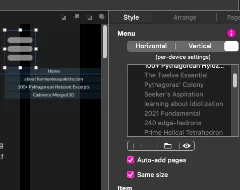
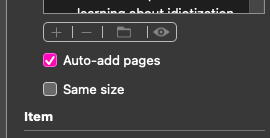
Why does my Menu listings box periodically loose all of its menu listings, by turning the list grey which un-lists the pages from the Preview. Is there an easier way to reactivate them, rather than to select one at a time, and each individually, and then to activate each of 30+, one by one, singly clicking the activate button? This happened again and again recently, (since I added the hamburger menu only durring the last week).
2]
Have we a way to keep Menu on top of Layer Block? With 30+ longish pages, the Menu Block tends to slide down and mess up its function.
I can answer your second question - just click and drag the menu item in the layers panel to the top of the layer list. As for your first question, I’m not sure I understand the issue. I don’t know of a way to activate or deactivate menu items. Maybe you could upload a screenshot of what is happening. Also. can you explain what you’re doing to activate the pages once they are greyed out.
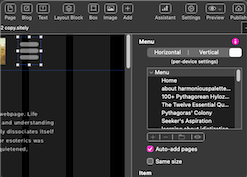
Thanks for replying, every insight helps. Please note the greyed out condition of the entries on the right-side panel and the correspondingly limited number of displayed pages on the left hand hamburger menu-dropdown. The 30+ pages were added gradually by dragging from another, single page import project window, one at a time, and dropped onto my Pages column at left of my site’s project window. That goes very smoothly.
These are fairly long text pages with many images, and pages were worked on intermittently over two weeks now. The greying of the list might occur between Mac shutdown and start up, with manual-saves and Finder checks to assure file was saved.
Menus usually get their Page entries refreshed very slowly (even with 128GB RAM and SSD), during the work day, but sometimes the wrong project window had been closed, as I get confused by experimental project windows used for self training. Nevertheless none of this is due to forced closing.
PS– Also, the menu item on the Layers column had slipped down from it’s required position on top, and thankfully I was told it had to be on top!… BTW, that error, (ignorance), may have caused my wandering elements of last week, the menu now at least displays if it is nit greyed out.
Update: I see now some of my erroneous, manual- placing of Menu on new pages had left duplicate Menus orMenu Block image; whereas one should patiently allow Sitely to do its own updating of Menu on new pages already numbering 30 pages… Or so it seems. Just a few minutes ago, I found a couple of stray Menus, barely visible to a beginner.
Then later on, after saving and restarting, the Menu list has held intact. And this may indicate that my error was simply adding menus on imported page by use of the Add- button, or worse yet, by copy pasting a menu block.
Sitely is quite stable, considering all the user-haste it encounters here.
A fresh start was needed. The server files were all deleted today.
One “empty sub folder” was denied access and not deleted. This was new to me. After that, Sitely’s Publish command uploaded a fresh set of files.
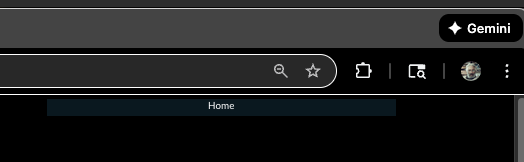
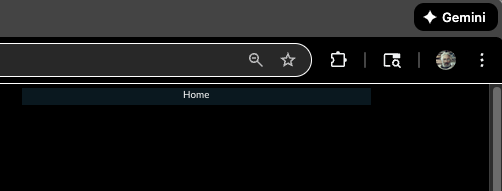
Site looks more hopeful today, but my menu is very jumpy in Safari and Firefox browsers. Chrome still displays a non functional menu: