Hi, I’m putting the bulk of my focus into making a blog. Each Blog post contains an embedded PDF file that is essentially a square booklet. So far, I’ve created 4 blog posts, and through a little trial and error seem to have got this embedding a PDF business down.
In a somewhat repetitious manner, each blog post involves:
- dropping in an image grid.
- Using the inspector to import one of the square booklet PDFs
- I only want slide one visible on the page, so I manually select all other pages in the PDF, go to the arrange tab in the inspector, then untick ‘show on devices’
- I select the hero image then set it to 2 columns and 2 rows
This has so far managed to give me what I want, in preview, the first image is centre square to the post, once clicked, it enlarges slightly to begin a slideshow with a left and right button either side of any given image. Hurray!
Except today.
I have carried out all of the above and the first slide stubbornly sits left-justified to the screen and I cannot see why that would be. The slide show opens up ok, it’s just that first slide that’s annoyingly over to the left.
I’f you know where I’ve gone wrong with this, please advise. Thanks
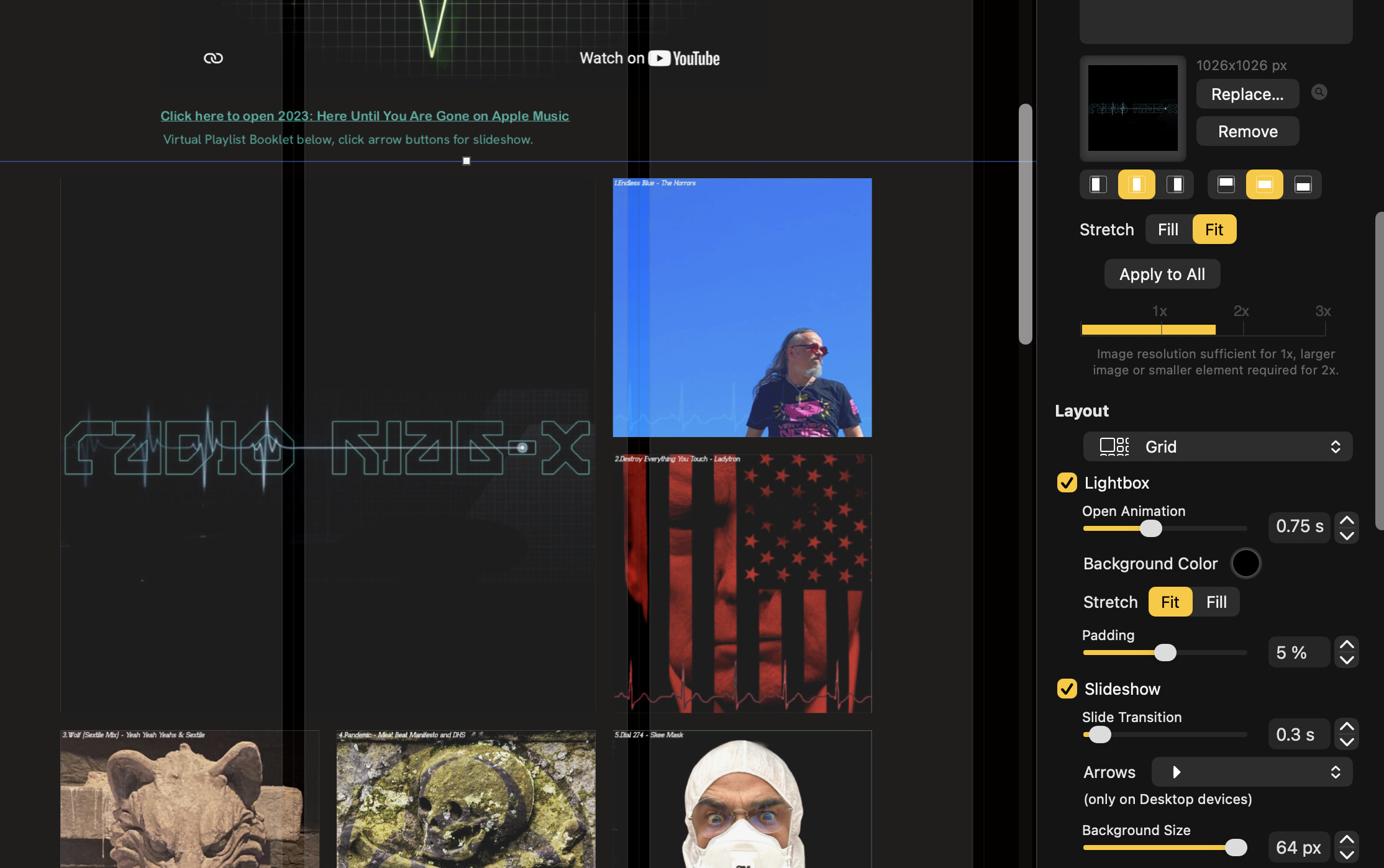
which gives me: