Hi all, sorry if this has already been covered but I’m stuck with the menu. I set it up as I want for a large screen device and then change the settings for the device and arrange the menu for mobile devices. However any changes (fill color) seems to transfer back over to the other display settings which really messes with my design. I chose the fill colour to make the menu stand out once the hamburger is pressed.
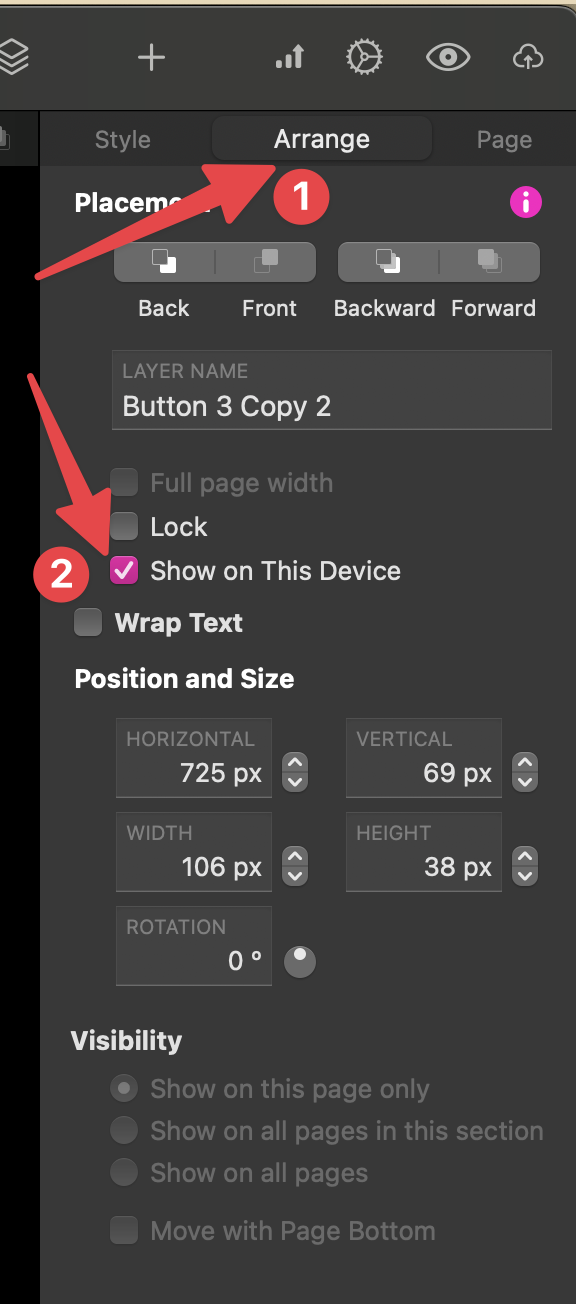
Can you hide elements from showing on one screen size and show on another? For example I have Menu 1 show on wide screen devices only and Menu 2 showing on mobile devices and ipads.
Also as an aside the blog archive page can I arrange how this displays content?, it seems to show images on my blogs really big with no text to accompany it.
Thanks for any support, sorry if this is a dumb question I’m learning.
To do this, all you really have to do is just be in the desired device (ex. Desktop PCs 1200px from the Devices Menu), select the Menu you want and enable/disable this box as shown in the print above. Then do the same process for the other menu.
I generally do design two menus, one for desktop and other for mobile, as they don’t translate well mechanically between these types of devices.
For the blog, I don’t use it at all, but usually you can control the archive page as you want. I believe there is a very good Blog tutorial video around from Duncan, but don’t know the link to it. Maybe it is on Sitely Youtube channel
thank you ill give that a try. I knew there must be a work around but wasn’t sure how.
I’ll check the you tube for the blog but looking at the page its locked for editing it draws the details up from the blog automatically, sadly its not done my blog any justice so far.
@Chrisb, regarding your blog posts…
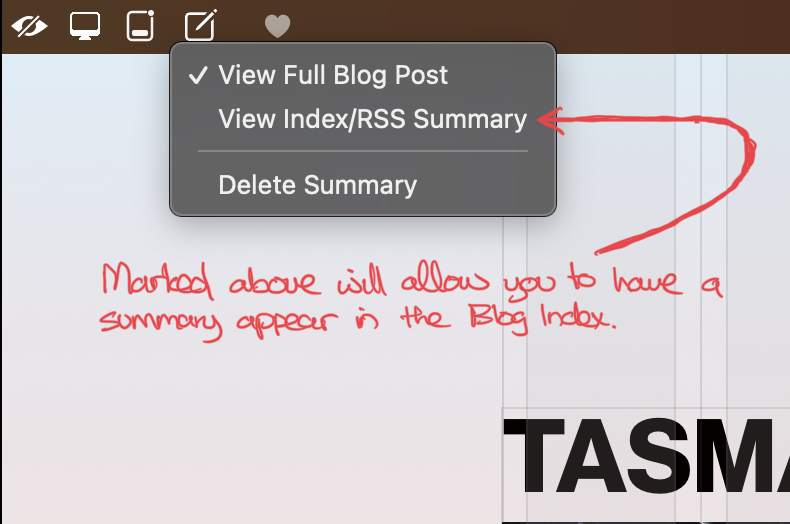
If you use the RSS Summary then you can create a more condensed version or a summary of your blog page which will show in your blog index page…