Menu Layer Elements Always Differ?

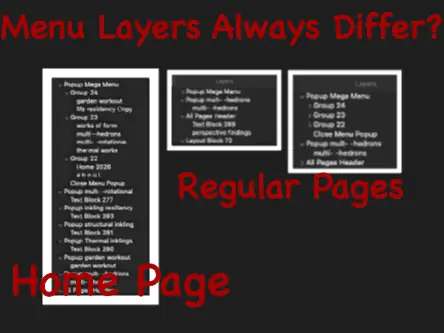
How are popup-menus forced to function on all regular pages, if the popup menu functions correctly on the home page?

In my site, maybe less than half of the regular page menu-links function, (actively link).

On the home page all links function correctly.

Are home page menu elements always more numerous than other pages?

If you create a Popup on the home page, and then set it to display on all pages, there should be no difference in the contents of the popup on other pages. Although it isn’t clear from your screenshots what is in each variant of the menu popup, the content should be identical on every page where the popup is included.

The screenshot below is the mega menu popup from my example site home page as shown in the layers panel - its exactly the same on every other page


The only way that the content would differ is if the popup has been manually copied and pasted to each page, and the contents of each popup edited in some way. This would effectively be creating a different popup for each page, rather than having one popup on the home page displaying on all pages.

If you can’t resolve this issue. it may be worth you posting your project file so we can take a look at what may be causing the problem.

If you infer that the home page menu elements observable in the Layers panel of Sitely should appear on all other page layer panels, (because the menu should appear the same on all pages), this explains a site-wide problem. No? Only the home page has a few of many links working.

This can be observed on the currently, (3:30 PM ET), Published site, most of the menu is dysfunctional and menu-lettering is distorted: http://harmoniouspalette.com

On the sitely canvas it all appears well and good, because one never seen it done otherwise.

Shall I send a whole project link to Duncan’s mail and, or your email? Via http://swisstransfer.com ?

I would rather not share this 80MB work file publicly. Yet users would indeed love to download some sample, simply-worded, instructional websites somewhere online. Then we could examine how proper-good canvasses should appear! We have no clue otherwise. Lovely docs do not convey the experiential, canvass essence. Proper work files do convey this essence!

Life goes on, trust in life, trust in self.

That demo site gives me a few pointers, so rather than upload the whole site, it may be better if I recreate the navigation elements in a separate project file and send it over to you. That way you can see the best way to structure the popups to achieve what you want. You can then replace placeholders and page content with your own content and style everything accordingly. If you feel that will help, just say the word.

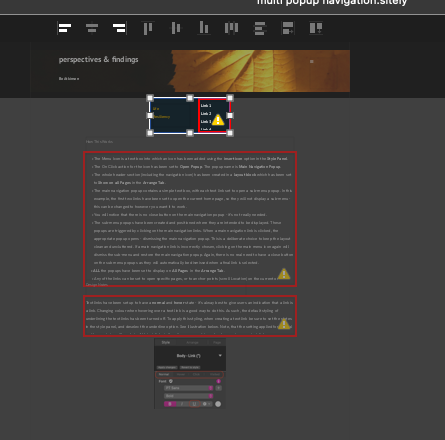
Edit: I’ve created a demo file for you which can be downloaded fromTHIS LINK. Open the file in Sitely and preview it before delving deeper into the structure. Once you’ve seen how it works, select each item in the layers panel to see the settings that have been applied. Hopefully, it will give you guidance on how best to handle multi-popup menus.

The download link will be active for 30 days.

1 Like

Generic Titles, Headers, ect, which describe kinds of element and functions help new users realize special terms used in Sitely support-discussions.

Without asking for customized work, theoretically, a large sitely file of perhaps a 50 MB could provide a 100+ menu branches, and with tried and true publishing qualities. Plain boxes similar to Sitely Documentation might allow for user customization. Trimming unused blocks might be safer than copy pasting new ones, for the output-publishing. (Did untested structures introduce anomalies? What else causes new work to Publish with errors?)

Even auto-replacing actual content with “Lorem ipsum” might make great samples.

   ~ ~ ~

The published-html-quality has been a concerning experience. I tried out claude.app helper and it reported discouraging errors in my recent published index page, which it quickly ‘corrected’, except that Sitely has no input panel for suggested publishing corrections when code is generated. (I used Whisk.app to extract html from the www-published version for claude to analyze).

The canvas looks just fine in preview and sometimes on disk-previews with browsers. The Publish function needs a feedback loop. Chances are that kinds of ‘ai’ will ultimately be available for creative apps like sitely.This would save users days and weeks of standstill. One would like to focus on one’s contributions to life rather than code chasing.

Currently one might be stuck with the big-bandwidth loop through server and back, for testing a re-importation loop of one’s own trials and errors. Sitely’s option-key-import helps paragraph changes.

Have people tried quick, impersonal, automatic fixes?

This is the incentive for starting from a proper 100+ mega-menu sample, and deleting unused portions, rather than by copy-pasting elements from scratch. Need is for basic, low bandwidth menus, with growing contents. And to avoid errors or user-downtime.

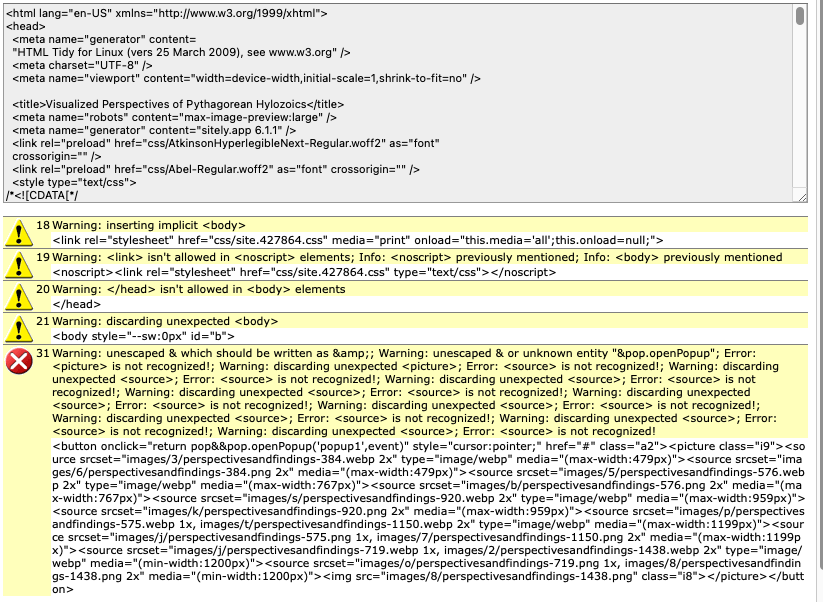
RE: My online index in need of repair… Another, online html checker said this just now:

/infohound

We seem to be going a bit off topic here. From my perspective, the only real concern when it comes to code generation is how it is delivered and assessed by search engines. There are clearly many website checkers out here that will pick up on a number of issues that don’t really affect performance or SEO. Even the HTML Tidy website reports 54 warnings and 4 errors on it’s own website, so it isn’t always possible to cover every little detail.

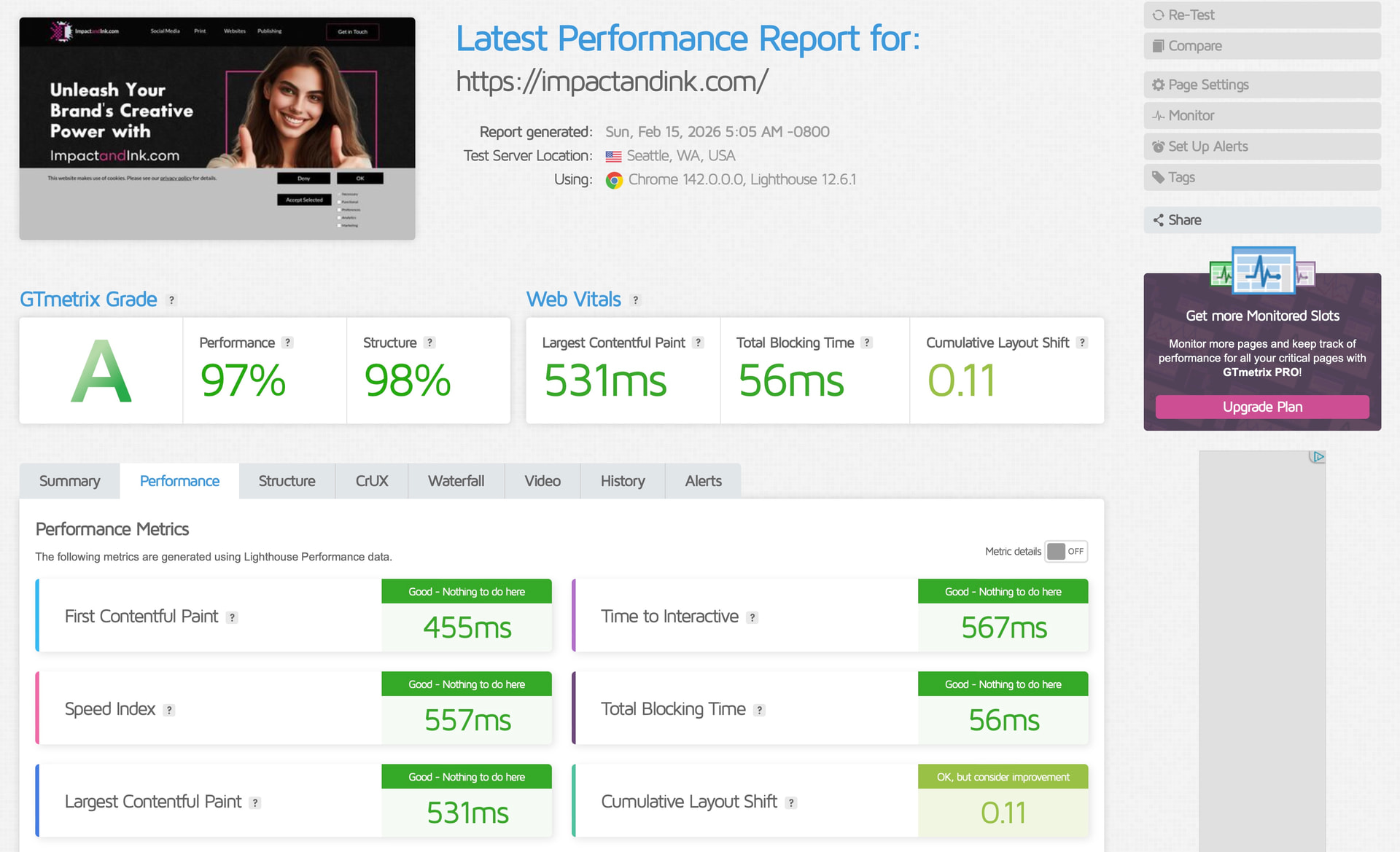
The better option is to test website performance in a website checker that views the website from a deliverability and SEO standpoint. For example, if I run a check on one of my own domains, I get a fairly good score of 97/98 percent, and the site was built completely in Sitely.


Furthermore, inspecting the web pages in browser web inspectors doesn’t show any page errors.

The key here is to ensure that you won’t be penalised by search engines, and that your users are not going to be affected by a broken or non functioning site.

1 Like

Thanks for all your suggestions and generous effort!

My topic is an investigation into what failed in my sitely work flow. What user actions break things. Why does Preview show some links working and others not? Browsers on disk were bad. Sitely Assistant mentions nothing about basic popup links to fix. Assistant does point to a few of 100s of pdfs with bad links, not popups, why? Assistant doesn’t help format my 100+ PDFs. These also need a fixed width control.

I am grateful for your file to study, after I try some expansions of it for future needs, to see if the horizontal menu method accommodates and allows additions and more styling. Te drop down were small conforming to 16 for fonts and for intended plainness.

Another constant issue is paragraph shavings on dozens of small paragraphs occurring for weeks past. These take away a writer’s time from writing due to vertical page inflexibility. Many styling issues can be ignored but never broken legibility, this is the typical Smartphone workout and it becomes repeated when small edits come to a writer’s mind:

I ignore the SEO on the canvass, because the Assistant tool doesn’t like my ideas of auxiliary key words. Is the NWO going to shut off poor SEO websites?

In the old days we had free access to Alexa, but google was equally useful. By yr 2000 my key words kept holding first page google positions, especially on google/images even on a site deemed “Not Secure”. This is due to niche areas, rare words and commercially ignored topics, and to tons of precise botanical names my wife used on her flower business pages. I got creative concrete work by use of technical terms and also special tool-names in those younger years. Zero SEO was used, but rather just key words. Common goods and services cannot do that, but rarity can.

Dreamweaver was just guessed at, dragging and dropping, (before Adobe bought the name). It eventually had obsolete code and my poorest writing, but its regular pages worked as primitive menus. It was so easy to use. I avoided the eventual rental apps and kept the old, one-time-purchase apps going where Apple gutted OS supports. (A Hermit’s Lifestyle)

Importation, page by page to Sitely from my old site was hoped to focus on lengthier content and deeper perspectives of an old man looking back on the purpose of life. Boring stuff to the emotional world, but reflective stuff for the world of ideas.

Yesterday: Claude generated pages of tailored help, and it seemed to grok my needs. To summarize it came down to 12 categories of ‘fixes’. They seemed to describe a way to drag and drop whole websites for full repair, but SwissTrafer denied my 80mb of html uploads for claude-app to use. No explanation was given. What does it take for claude to install an upload cloud?
Just like to add that Sitely is not a fluid-width responsive platform, but a fixed-width responsive platform.

So that means what you place on the canvas doesn’t automatically reflow to suit the device it finds itself on, hence the fixed-width set Devices that Sitely offers. So on the mobile device (in how Sitely works now) one has to manually arrange the content - images, text boxes, etc… to suit its 320px fixed-width.

Layout Blocks were introduced to help somewhat with the mobile layout, so if you had more content to place into the Layout Block (and you would need to vertically expand it first), then all other Layout Blocks below it will move down the length of the canvas.

Solved:

All of the problems cleared up only after doing these two simple things:

Setting the Device Layout option to (PC & Landscape) 960 Pixels, and keeping all others at Automatically Scaled!

(This was on a 1080p Desktop, and Zooming was used a lot).

A Critical Action: Sitely> Menu> Preferences> Remove All (Publishing Cashes)

These two fixed all problems!

Special thanks to Duncan for these insights.

The long efforts to solve my many difficulties payed off, and thanks for all the community help.