Hi, is it possible to move multiple scroll locations at once rather than individually?
I want to put something at the top of the page and will have to move a whole load of them so any short cut would be helpful
Thanks
Annie
Hi, is it possible to move multiple scroll locations at once rather than individually?
I want to put something at the top of the page and will have to move a whole load of them so any short cut would be helpful
Thanks
Annie
I haven’t tried it, but you could try selecting all the scroll markers (multiple select) and then group them and move the group as a single object. - got to be worth giving it a go!!!
Tried it, but it doesn’t work. I think you cannot select multiple scroll markers. It’s a problem that I deal with for a long time. I would be very happy if that could be solved.
As I use it to be able to jump to a letter (A B C etc.) in a changing list, it would even be better, if a scroll marker could be “glued” to a text/letter/img.
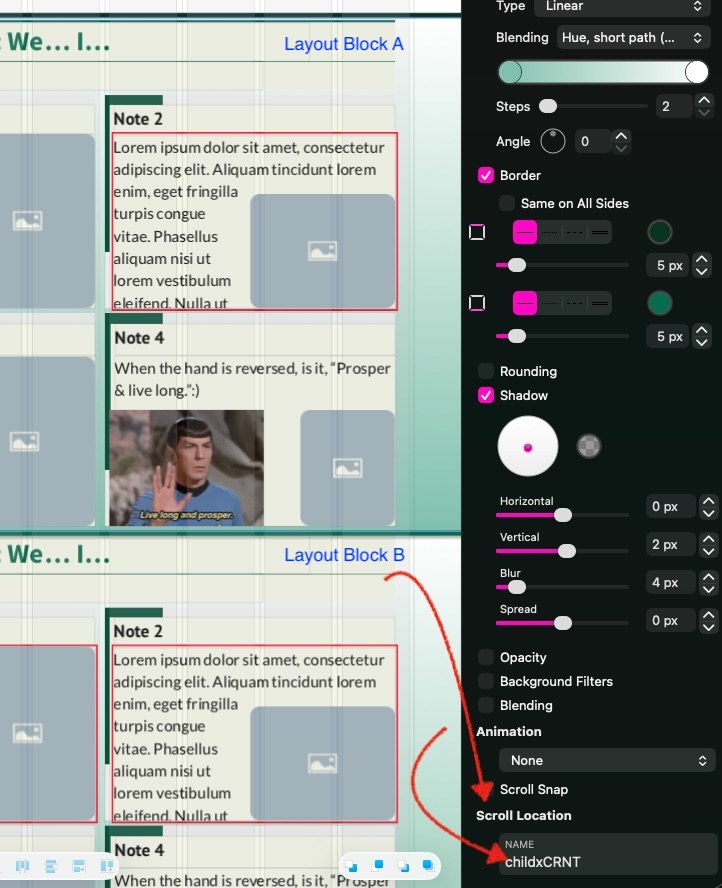
Have you tried using layout blocks then identifying the Scroll Location for each block?
Scroll location adjusts as the layout block location moves.
Thank you PPEmail for your suggestion. I never used blocks before. I will try it when I get home tomorrow … and report.
Later: Consulted the manual about blocks (which - as I wrote - never used befor)e. As far as I understand it’s a great tool, if you build up/start a website. But in my case it seems too late. I have an alphabetic page with over 100 links. To change all those links into 20+ blocks seems to be a huge job.
So at the moment I stay with my changing scroll markers with every new link (which happens maximum once a month).
But thanks again for pointing it out, as I might use it when I build my next website.