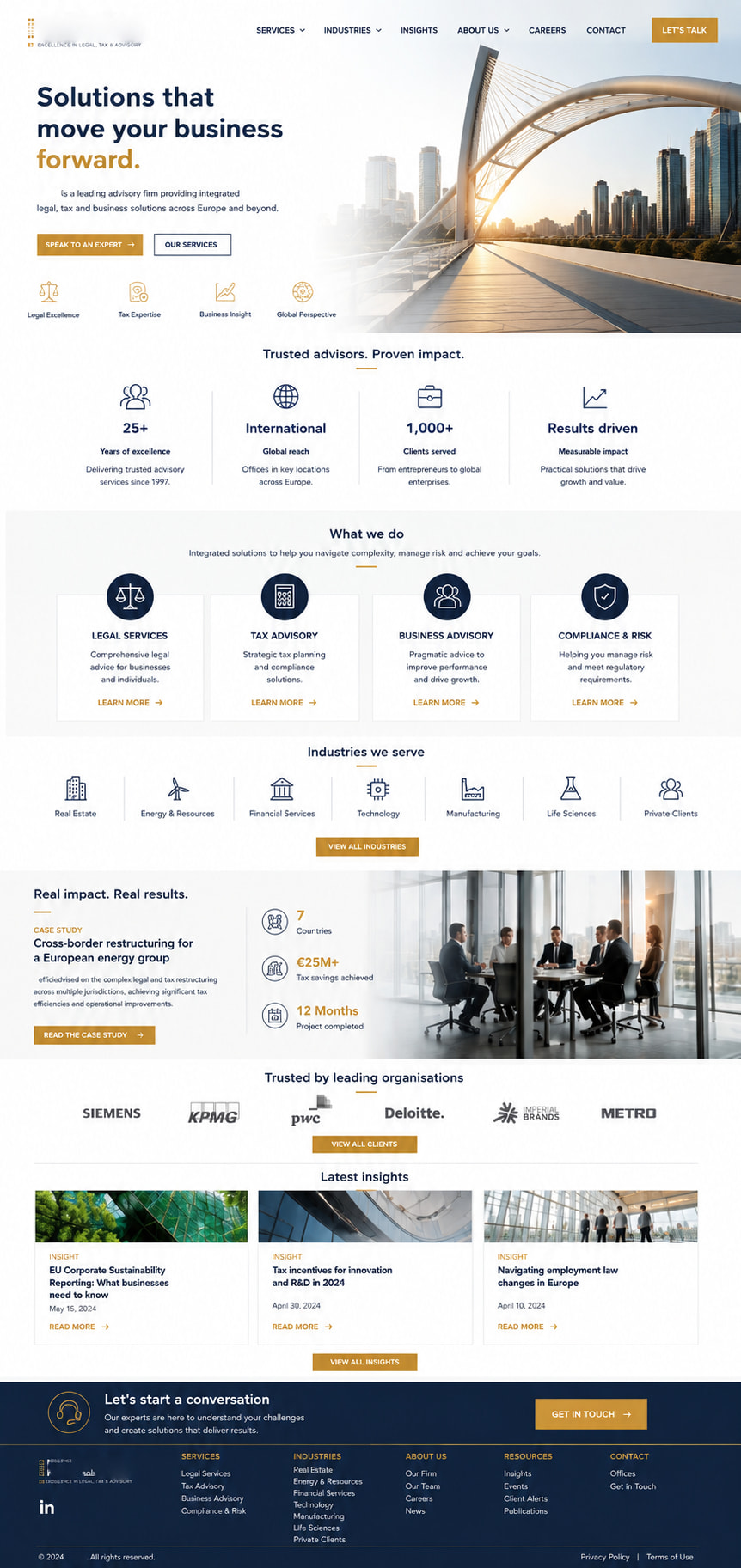
@Steffi raised a really important point about the role of AI in web design, and I thought it was worth expanding on because I think there are still quite a few misconceptions about how AI is best used.
Personally, I don’t see AI as something that replaces the creative process. Quite the opposite - I see it as another tool in the designer’s toolbox, much like Photoshop, Illustrator or Sitely itself. The creativity still comes from the designer; AI simply helps explore ideas more quickly and visualise them before committing time to building them.
The biggest mistake many people make is asking AI something like, “Create me a website for a law firm.” The AI will certainly produce something, but the result is usually fairly generic because it hasn’t been given enough context to understand what you’re actually trying to achieve.
I’ve found that AI becomes dramatically more useful once you start teaching it about the project.
That teaching process doesn’t need to be complicated. In fact, it closely mirrors the kind of client brief many of us already create before starting a design. The difference is that, instead of the brief sitting in a folder, it becomes part of the conversation with the AI.
A good project blueprint might include things such as:
-
What the business actually does.
-
Who the target audience is.
-
What action you want visitors to take.
-
The personality the website should convey.
-
The company’s values and key messages.
-
The preferred colour palette and branding.
-
Competitor websites that the client likes (or dislikes).
-
The overall style you’re aiming for.
-
Any technical constraints or preferred platforms.
Once you’ve documented those things, you can upload that blueprint to the AI and use it as a constant point of reference throughout the design process (a source of truth document).
For example, rather than saying:
“Design me a legal services website.”
you might say:
“Using the attached project brief, create a homepage concept that reflects the company’s professional but approachable brand, follows the supplied colour palette, focuses on building trust with corporate decision-makers, encourages consultation enquiries, and is suitable for implementation in Sitely using its standard layout tools.”
That one prompt immediately gives the AI far more direction than a generic request ever could.
One tip that I’ve found particularly useful is to tell the AI which development platform you’re using - in this case, Sitely.
That may sound like a small detail, but it can make quite a difference. If the AI knows the design is intended for Sitely, it’s more likely to suggest layouts that can be achieved using Sitely’s existing features, rather than relying on complex interactions or effects that would require custom coding or be difficult to reproduce. Once the core layout is in place, you can always decide whether to enhance it with additional techniques later.
Another advantage is that AI isn’t limited to desktop concepts. Once you’re happy with a homepage layout, you can ask it to visualise how the same content should be arranged for tablets and mobile devices. That often highlights opportunities to simplify layouts, improve readability or rethink the order in which information is presented before you place a single object on the Sitely canvas.
What I particularly like is that this process doesn’t replace the designer - it gives the designer more options.
Instead of building three completely different homepage ideas from scratch, you can generate several well-considered concepts in a relatively short time, compare them against the original brief, discuss them with the client, refine the strongest ideas and then begin building with much greater confidence.
It’s very similar to the way architects produce concept drawings before construction begins. Nobody expects the first sketch to become the finished building, but those early visualisations are incredibly valuable because they allow ideas to be explored, challenged and refined while changes are still quick and inexpensive.
I think AI is beginning to play exactly the same role in web design.
For me, the real value isn’t that AI designs the website - it’s that it accelerates the journey from an idea to a well-thought-out design direction. The more clearly you define the objectives, the audience, the brand and the message, the more useful the AI becomes.
In other words, AI doesn’t replace good design thinking - it rewards it. The better you teach it about the project, the better it can assist you in bringing your own vision to life.
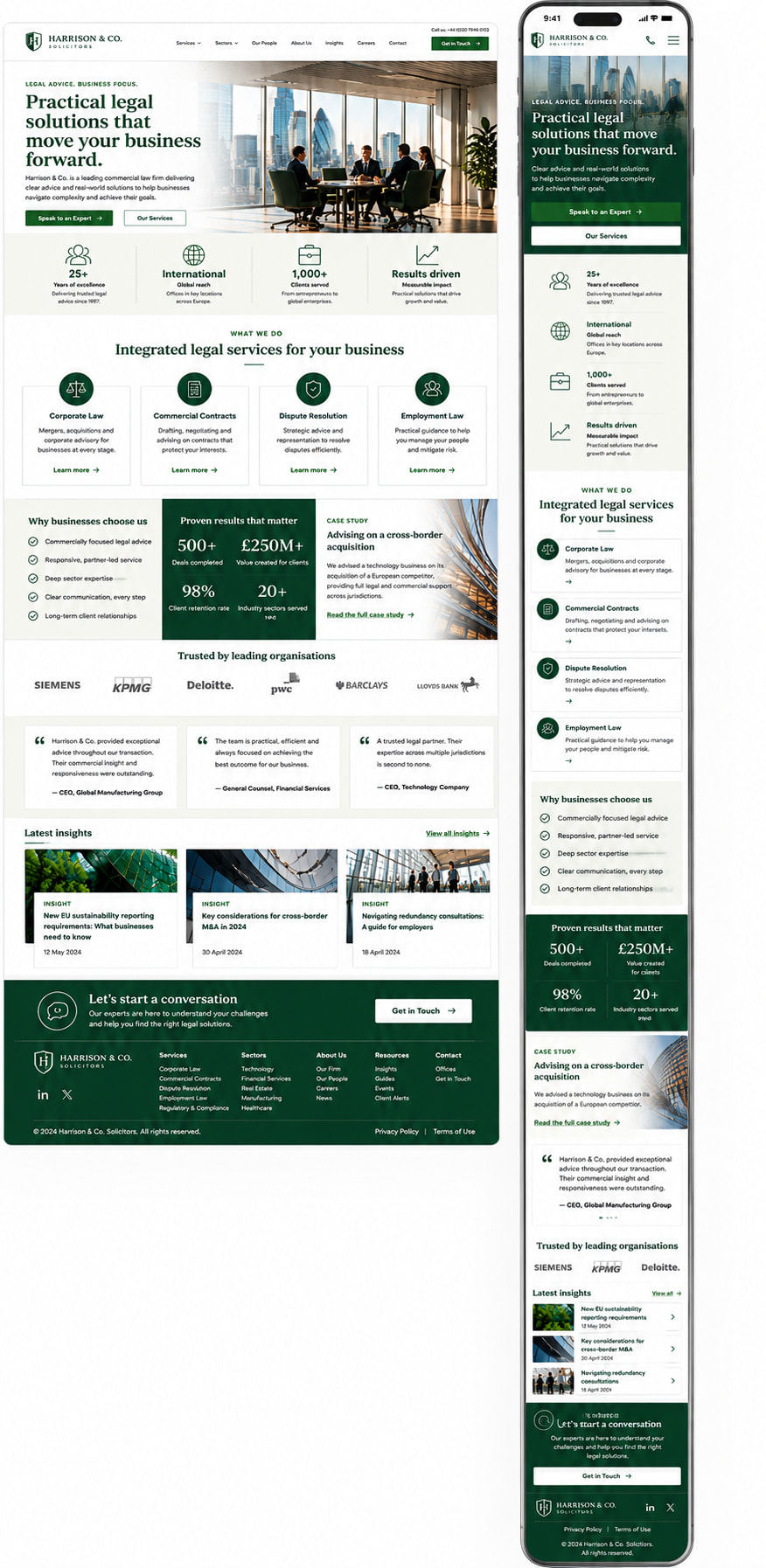
By way of example, I uploaded a client brief (more commonly referred to as a Software Development Blueprint - Websites are software). I also uploaded a colour pallet and used the example prompt above. This is the visualisation result for both the desktop and mobile versions of the site:
As can be seen, these layouts would be very simple to recreate in a Sitely project, with each clearly defined section of the page being its own layout block - this would make rearrangement for the mobile version incredibly simple. So, start using AI to assist you in the design process by having it create visual concepts based on a full development blueprint. It really can save you a lot of time.
 Sitely and would really appreciate your feedback.