What am I doing wrong?
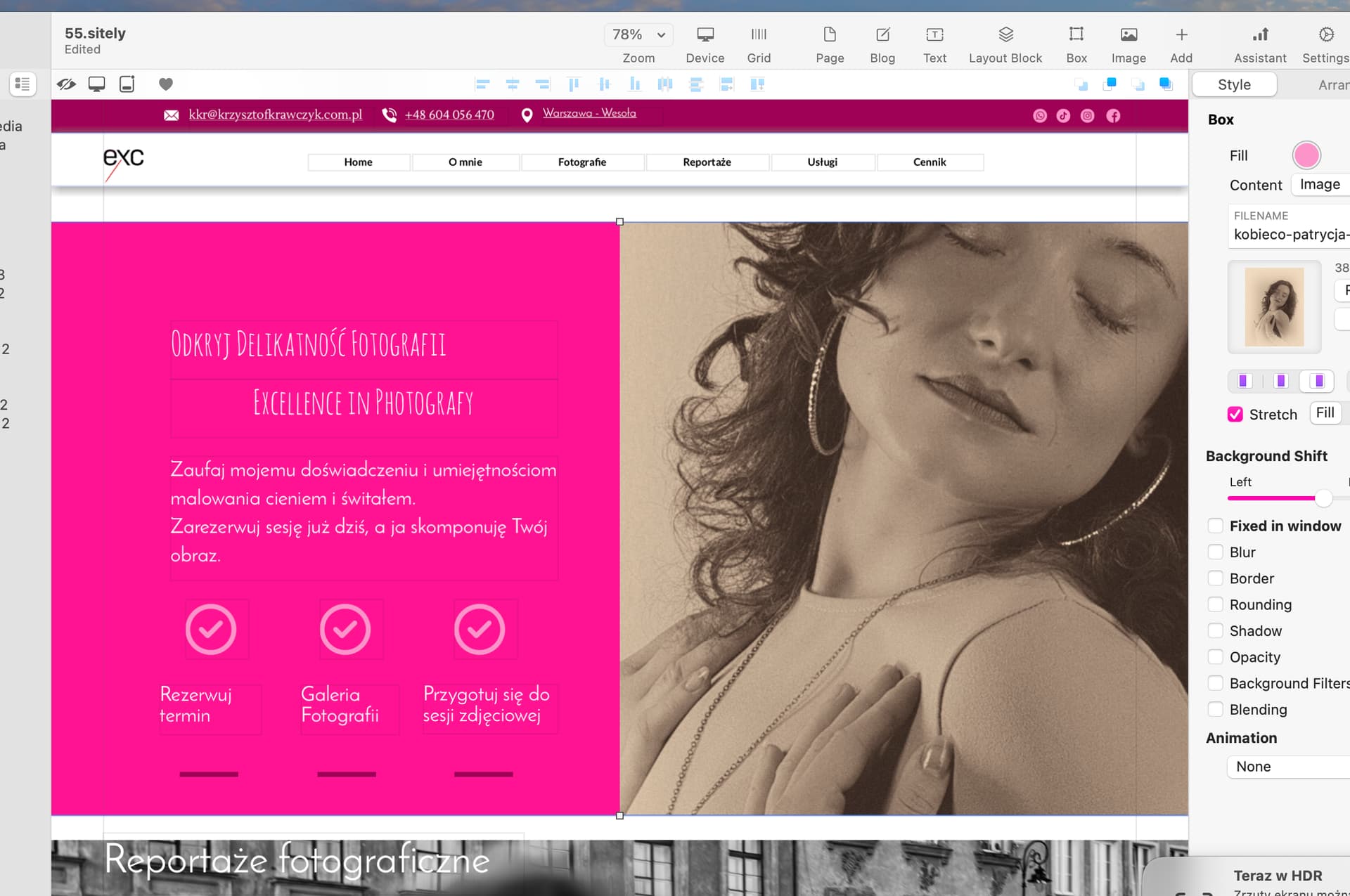
In Sitely, I set the image in a specific place (first screenshot) - a photo of the model.
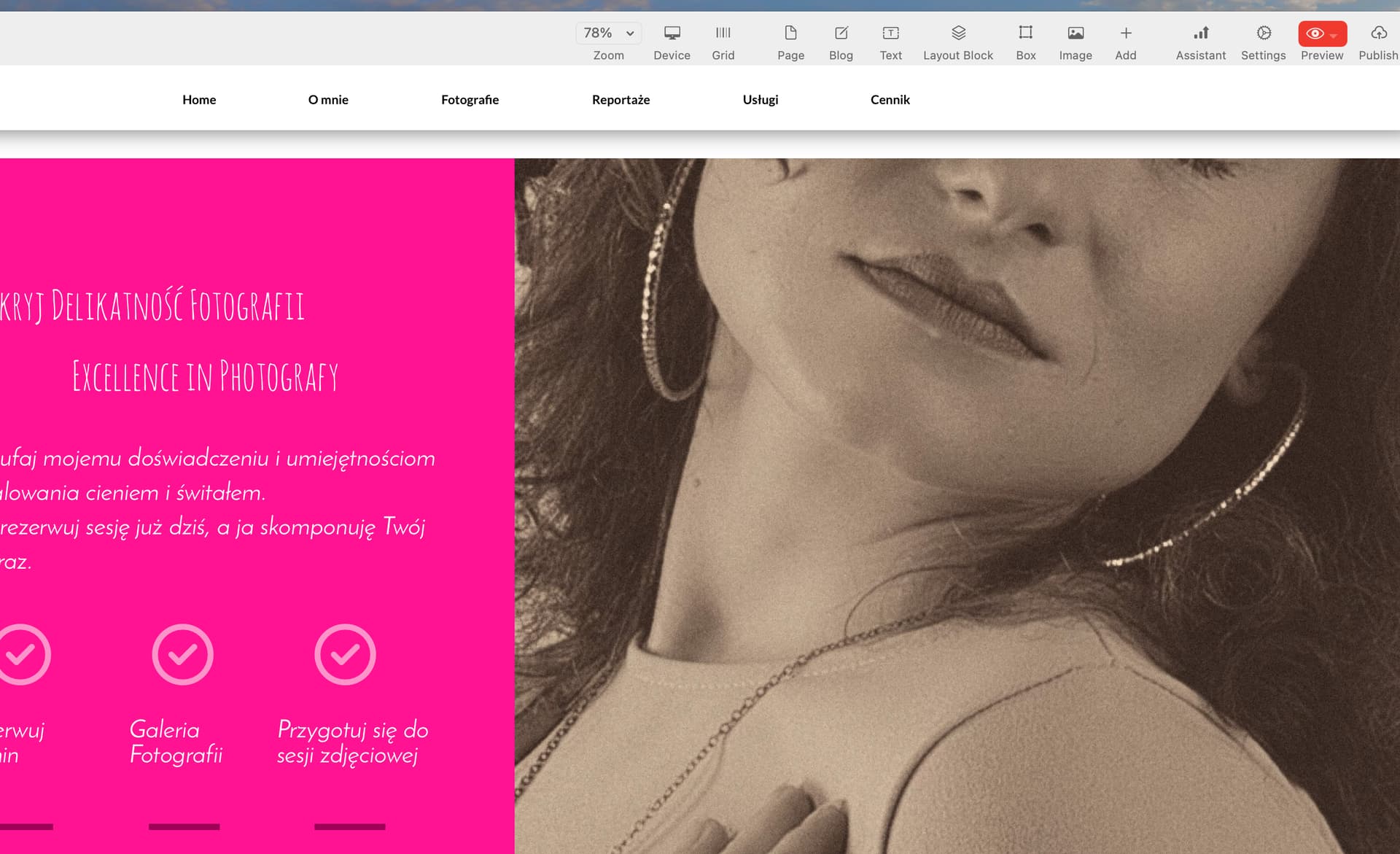
After triggering the preview, the image is cut off from the top margin. The model is shown without eyes.
What am I doing wrong?
In Sitely, I set the image in a specific place (first screenshot) - a photo of the model.
After triggering the preview, the image is cut off from the top margin. The model is shown without eyes.
If you’re using a full width box, the image placement depends on the browser width for example. You can’t sort of see it in the Sitely work area as well by changing the zoom, but you need to use the preview to see exactly what will happen. Unfortunately there’s no magic fix for this.
Ok. Thank you for the tip.