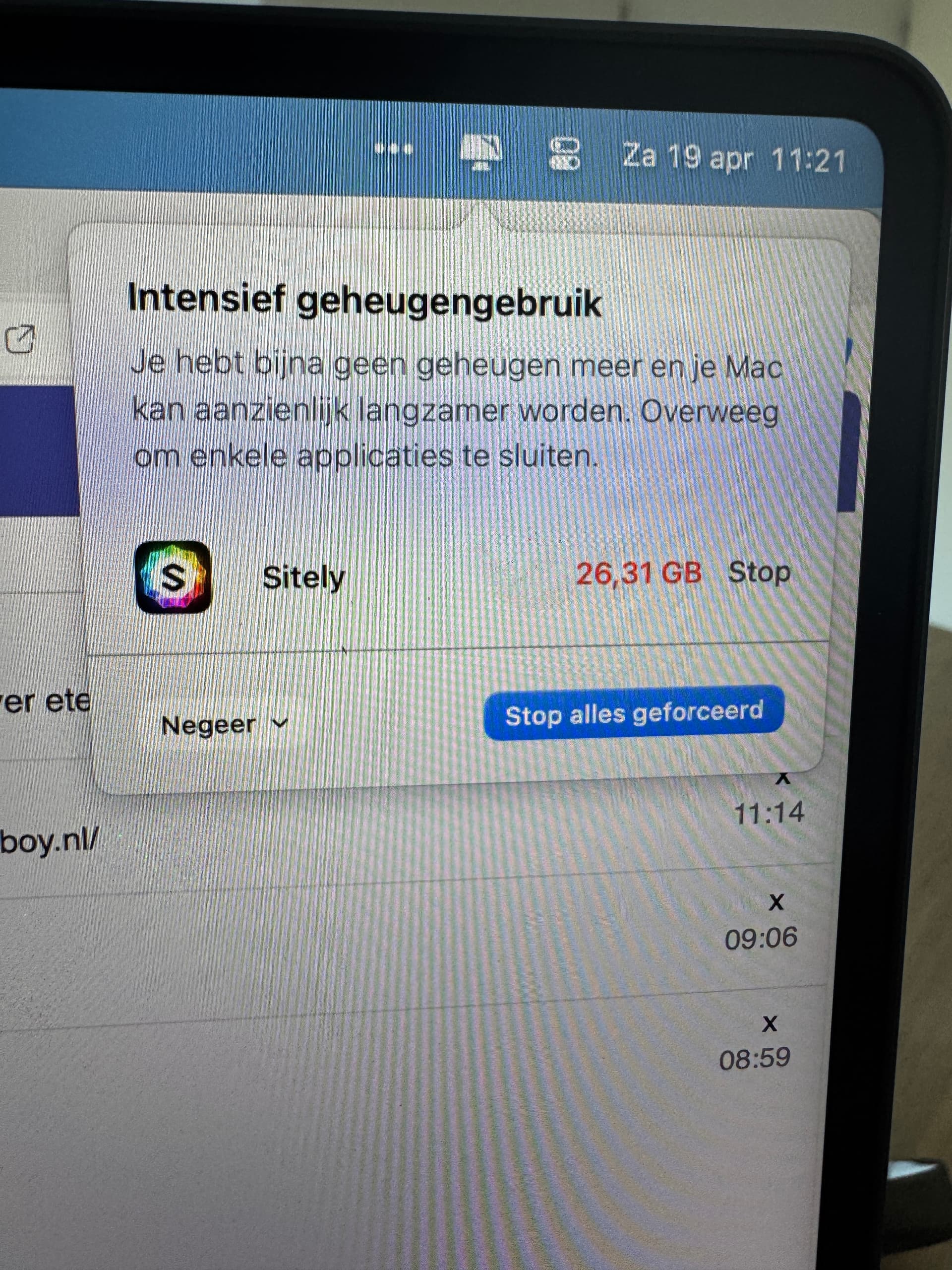
My friend has a homepage made with Sparkle (Of course). It has about 43 pages with many pictures, some movies and text. Running on an iMac 2019 with 16Gb RAM and Big Sur. MacOS pops up with a message saying that there is no more application memory and suggest to close some apps: Sparkle and Finder. It just happens suddenly.
Also receiving “Out of Application Memory” but only when publishing. My site has many large videos hosted at Godaddy. Running on brand new M1 MacBook Pro 8 GB RAM, Big Sur, hard drive has 494.38 GB available.
Hi @JohnSterlin, sorry about the trouble. As mentioned in another thread, a Sparkle bug related to some some specific project features. It’s fixed for the upcoming 3.0.7, for the time being please close and reopen Sparkle.
Hi, I’m having the same problem, running Sparkle 3.1.7., with Safari open and a few tabs up, including working on changes and seeing them on a Sparkle preview tab. However, I have nearly a 1TB of available disk space and 16GB of RAM, so available memory is not the problem.
This is an ancient thread and problem. You most likely are affected by the Monterey 12.0 memory problems, upgrading to Monterey 12.1 solves them. If not let me know.
I’m reviving this thread because I’ve also been dealing with this issue for many months. Sitely sometimes uses up to 10 GB of memory. As I continue using the app, its memory consumption keeps growing. Upon initial launch, it uses about 1.5 GB, but then it gradually increases. This frequently triggers the “spinning beach ball” (multicolored wheel), forcing me to wait. Eventually, I have to quit Sitely to restore normal system performance—at least until the whole cycle starts over again.
Any ideas? thanks
iMac M1, macOS 12.6.2, 8 GB RAM.
Je deterre ce post car j’ai ce problème aussi depuis de longs mois. Sitely utilise parfois jusqu’à 10gigas de mémoire. Au fur et à mesure de mon utilisation de Sitely, il utilise de plus en plus de mémoire. Premier lancement c’est environ 1,5gigas, puis, petit à petit, ça augmente. Ainsi, j’ai la roue multicolore qui arrive très souvent et me dois patienter. Puis, finalement, je dois quitter Sitely pour retrouver une utilisation normale, enfin, jusqu’à ce que ça recommence.
Une idée ? merci.