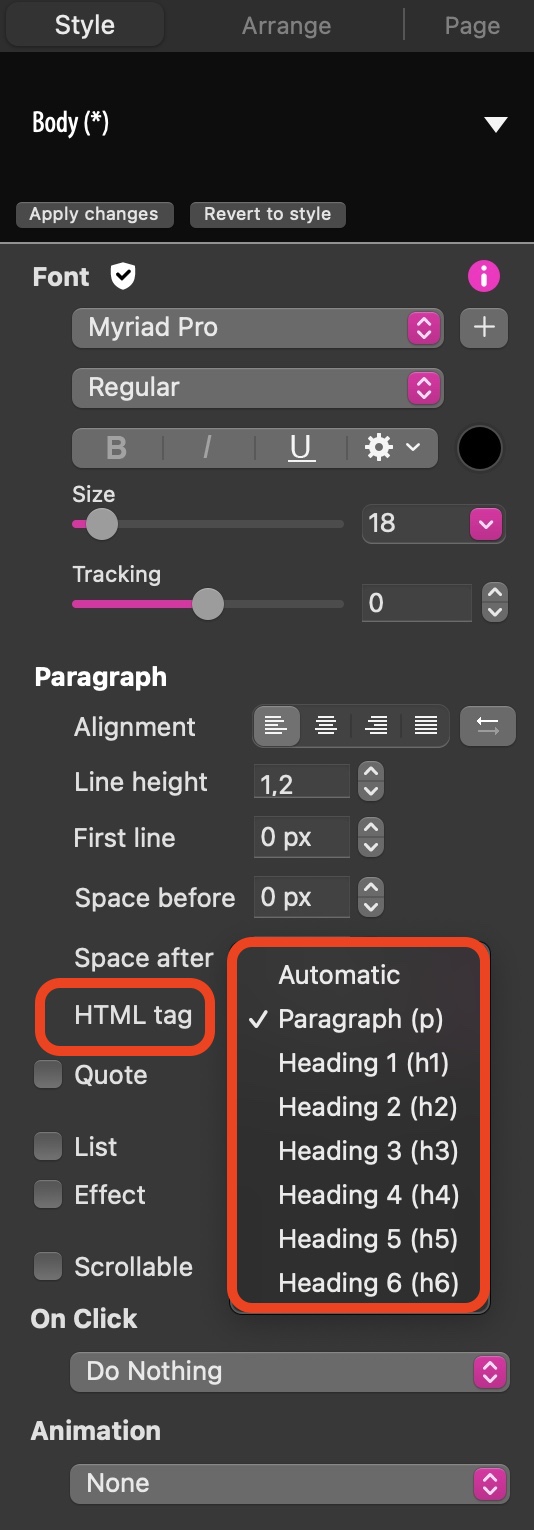
It could be that you haven’t set specific HTML tags for your text content. If you don’t set specific tags for each piece of text, the tag will default to “p(paragraph)”. The HTML tag can be set by selecting the appropriate text block and then setting the tag according to your requirement in the style panel.
Note: If you set an HTML tag for text that has been styled using Sitely’s inbuilt styes (such as Body in the above illustration), Clicking the “apply changes” Button in the style selector will update all text using that same style throughout your project. This is why it’s good practice to use the inbuilt styles - typically, you would apply one of the styles, change the font, size etc. set an appropriate HTML tag and then click Apply changes. That way, whenever you apply that style again in your project, the font style, size and correct HTML tag will be automatically applied.
That’s not what I meant. Now I see that the text I wrote here has somehow been transformed. I will try to write it again and mark the H1 mark with a quotation mark.
Well, on the website I have indicated titles, such as “h1”, “h2” etc. And Google doesn’t see it or it sees it like this:
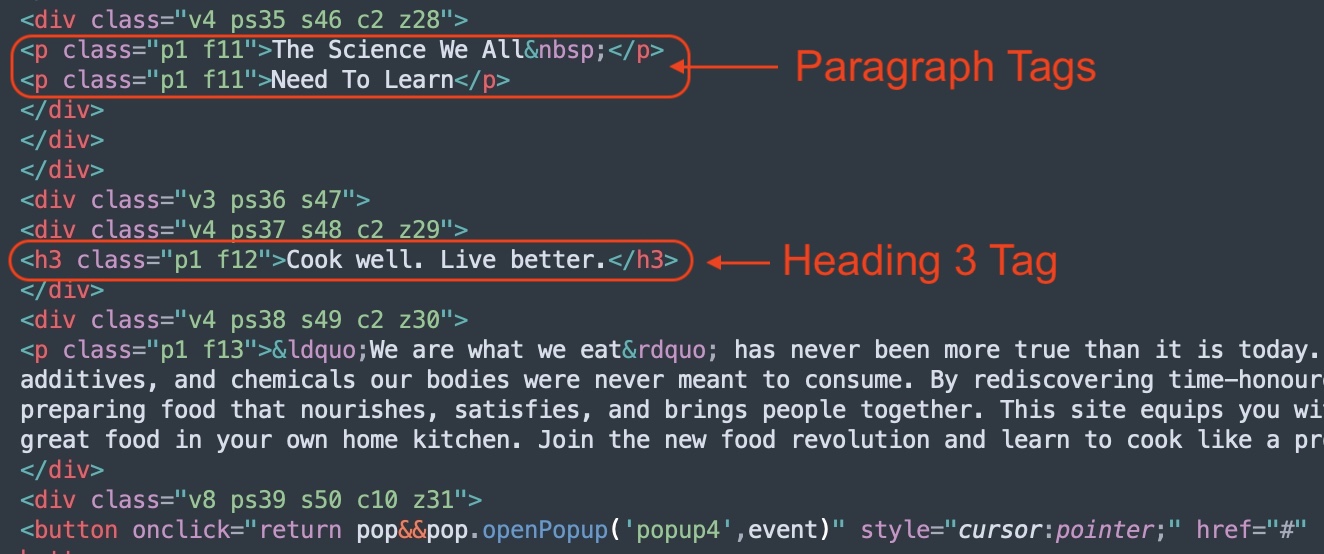
I don’t fully understand the issue. If you add tags as described in my previous answer, and then output the site to HTML, the underlying HTML code clearly shows the tags.
If you check the output HTML files, you should see these tags wherever they have been applied. Maybe you can tell us how you know that the HTML tags are hidden or not being read by Google - have you actually opened your HTML pages in something like a plain text or code editor? Have the tags been removed during publishing? a little more detail would be helpful.