Is there a faster way to edit one single page, (just a few words), without using Siteley’ Publish button?
By using Publish to upload one edited file, it seems to use a lot of bandwidth to reload the whole site.
Forklift and Fetch apps let me see the server files… Can I just drop a newly edited file of same name, with just word changes right there . . . ?
By using simple editor like Wisk app, I scroll past all that marvelous looking Siteley code near the bottom to find my text paragraphs… Has anyone edited just a few words that way, and then used FTP to drop it in the server.
Same question for images: Does Sitley offer a quicker method to update single image files, (of same file name) … Instead of looking through the many server folders A, B, C, D, etc..?
Just for the record: Solved
Three apps worked very well on this.
Over a hundred links on one webpage needed updating. I uploaded a folder with all PDFs at the top level of my server folder. Wisk app did a Find And Replace of all link updates in seconds. The resulting html was imported into Sitely from its “File/New by importing website…” of the saved html from Wisk app, (justone page unsaved in Sitely). Copy paste to Sitely’s canvas of my needy page. Then Sitely aligned all the content and the Publish to Server took just a few minutes on my slow, copper-wire, rural, phone line.
After over 2 decades of shaved down file sizes to update my server, I have to say Sitely really makes life easier. The work flows are smooth. Thanks so much Duncan.
Being that SItely is the website designer, it is also the CMS - just offline.
Any minor changes you make on a page looks simple, but when publishing Sitely converts everything to html/CSS/JavaScript, and so a small change also effects the CSS (which is per Device) and a few other things.
It can come across a bit excessive, but Sitely does a lot of work in the background!
There is nothing preventing you from making text edits directly in your html pages. However you should be aware that doing so may change the look of the page because the length of the text may alter the amount of space it occupies. You will still have to change your Sitely project file in order to keep it up to date - you may need to republish the whole site in the future. Personally, I think it will ultimately be more efficient to do all your edits in Sitely and let the app update your website.
Yes! Really good stuff, that all makes sense of course, accepting it from a www standpoint.
With pro license: 6.x, will we have Sitely work flows to drag and drop numerous htmls or folders into a Sitely rebuild of a long existing dot-com? Given that the external links are very few and the html is mostly text and graphics?
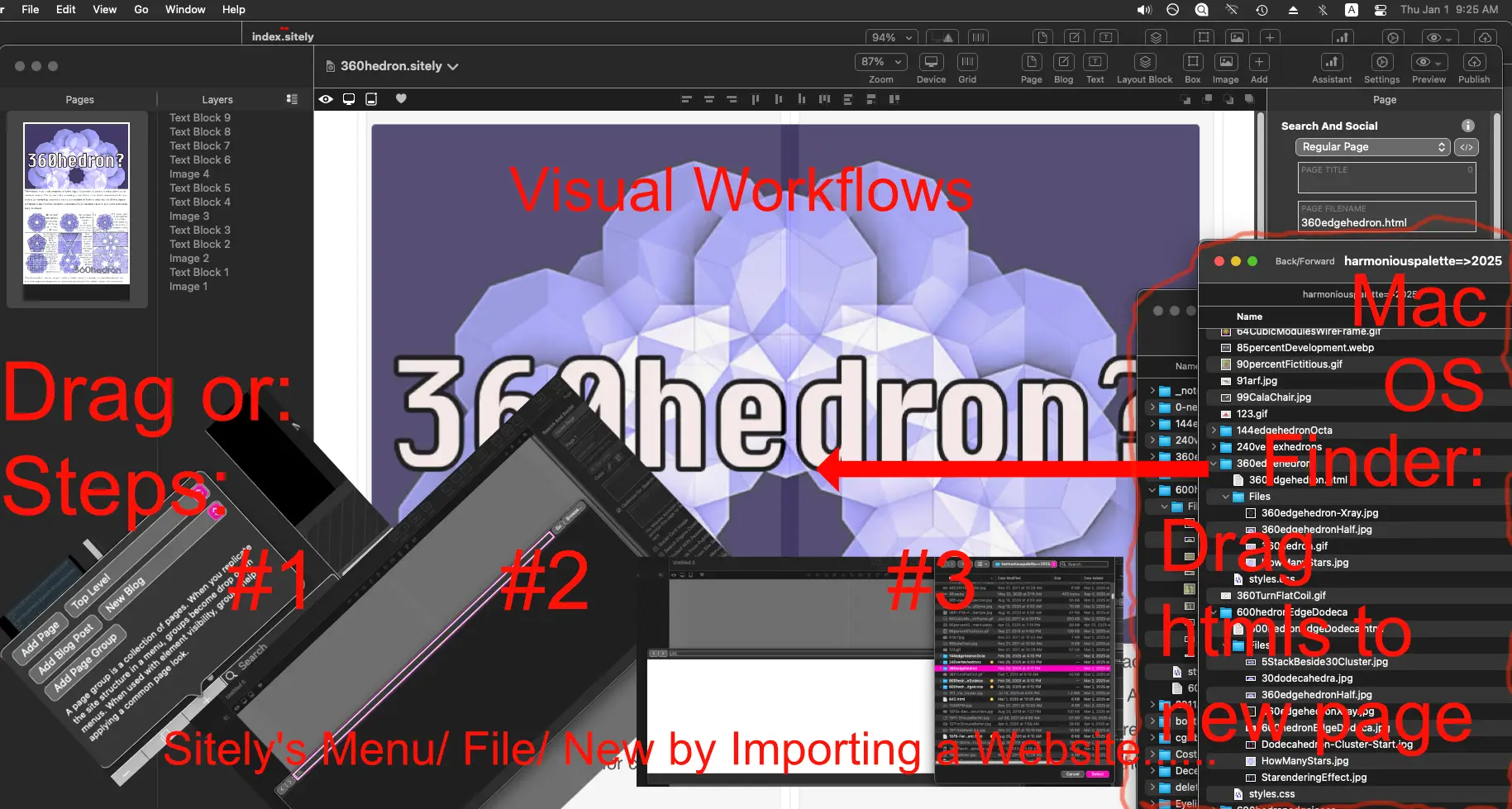
The import feature says “Menu/ File/ New by Importing a Website…” but the function allows single ‘page’ imports, one at a time. This begs a question, what if the Mac-OS-premise of visual-cursor-commands became easier? Flexibility of say for example Finder-folders dragged and dropped directly into an imagined canvas or adjoined ‘Page’ tab box?
In the meantime, one can stand three feet back of their head and invoke the “New by Importing a Website…” workflow to get htmls into Sitely, one html at a time, and if many similar files are continues, the process may speed up.
Nikola Tesla inferred that he and hence that we are all really ‘automatons’ which equals robots, or, that the real self actually wears robotic devices = physical, emotional and mental bodies, specifically. It helps to stand back through life and not get overwhelmed.
@boatkinson, Sitely allows you to import an entire website.
When you first create a project, or if you go File / New by importing a website
1 Like
Yes, tried that but its too big, buggy and clumsy, plus after decades it’s easier to cull most of it first since each page will need the new code stuff…
These seem to work really smoothly!
PS- I utterly avoided code all my years managing to find visual hacks.