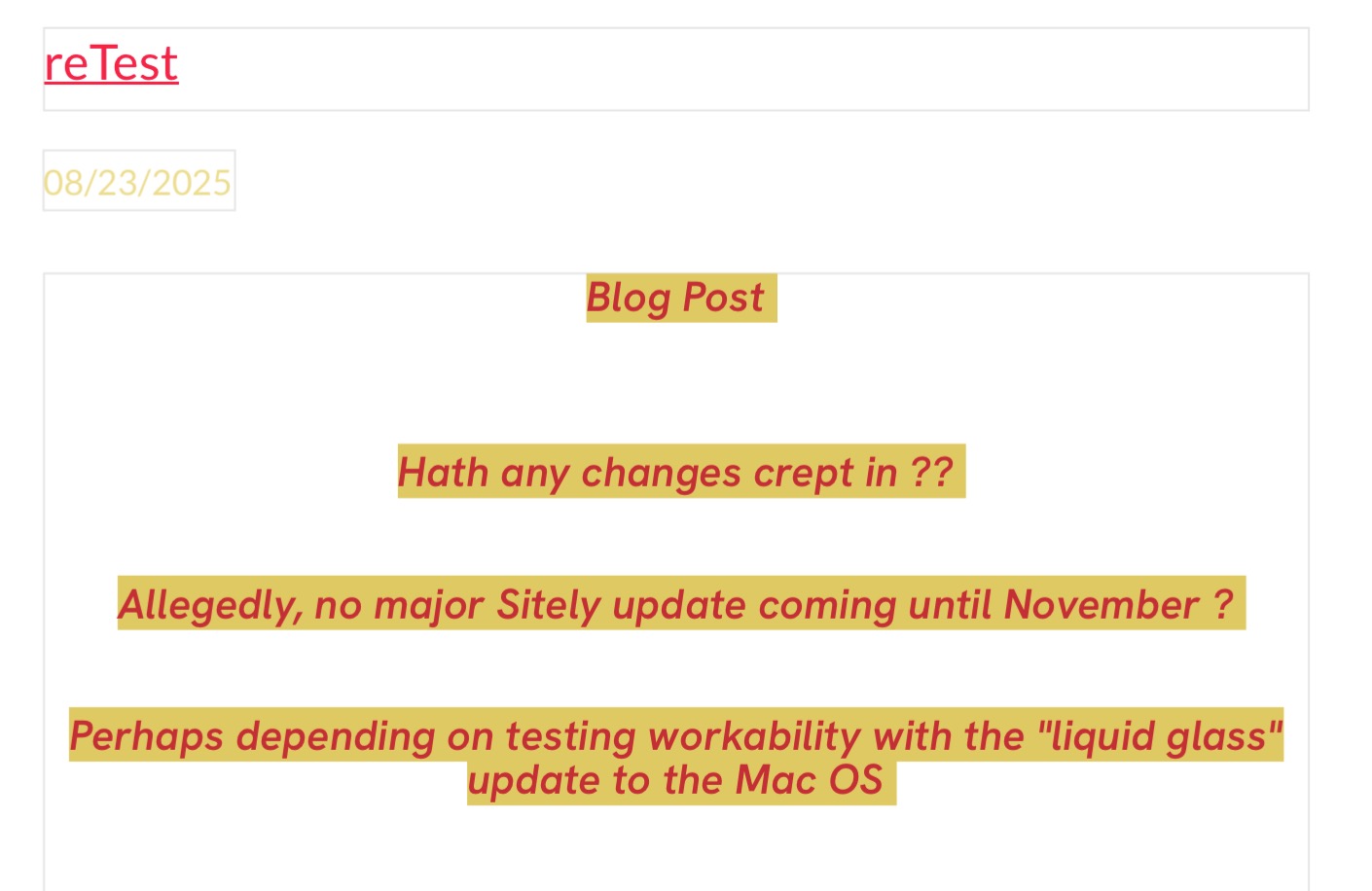
In writing a blog post, How to make the blank lines between text be truly blank (uncolored)?
Problem appears when re-editing the post.
Sitely 5.6.1
Thanks,
In writing a blog post, How to make the blank lines between text be truly blank (uncolored)?
Problem appears when re-editing the post.
Sitely 5.6.1
Thanks,
Hi @jol 
I’m not sure I fully understand. Could you please attach some screenshots so we can better understand your issue?
I do not really understand what you mean…
The boxes around the text? You are on the canvas in EDIT mode. Please check the preview.
Mr. F.
Is your problem solved then?
If you see them again, check that there aren’t any spaces inserted in your empty lines.
Otherwise, to avoid this issue, instead of applying the background color to the entire text box, apply it only to the selected text, without including the empty lines.
(replying to my own post )
Thanks to a message from Duncan, problem solved on editing a single blog post basis.
Still have NOT been able to apply the solution “to all posts in the Blog section”
Thanks
Now, how to set blog preferences to always create the most compact blog post, with NO colored interlines?
Thanks,