I would like to have a little arrow that allows you to scroll to the top of the page on a long page (guess there’s a official name for this, but don’t know what that is).
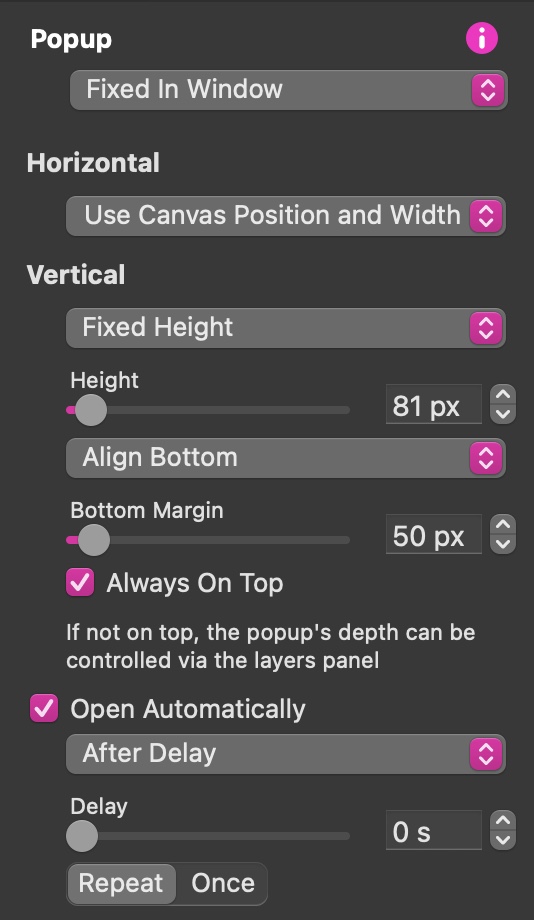
I’ve placed an arrow in a popup that opens at a scroll position, and the arrow in that popup animates the opacity from 0 tot 100 percent (and set to scroll to the top of the page if clicked).
This all works perfectly, but only once (or when the page is reloaded). Is there a way to make this work every time?
And maybe I’m not using the best solution to solve this, so better suggestions are also more than welcome.
Make sure you select the repeat option on the popup settings. This will prevent the popup from closing when you return to the page top. Also make sure to select the Open Automatically option.