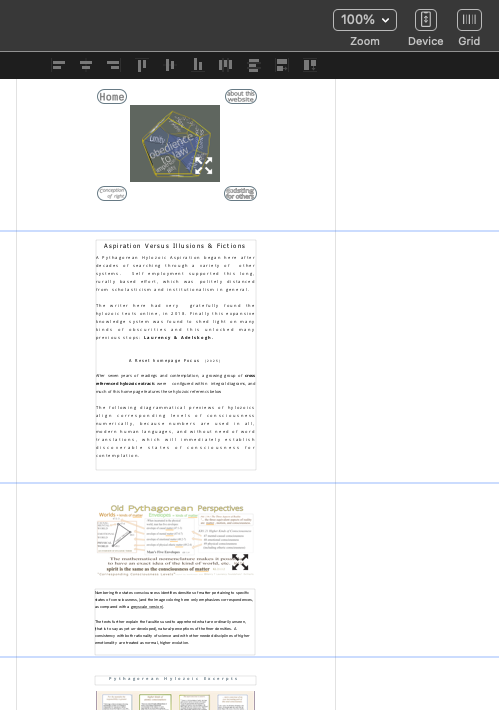
One of my SITELY files has lost its display-resolution, which now is rather illegible. Zooming in the highest % option (400%) displays this one file more like 60% and †ext reads fuzzily. The 100%option looks more like the 25% display option. Earlier done files are still normally displaying. Any ideas on how to fix this wayward file?
My recent save lacks a lot of pop-ups done just prior to problem, which may have mistaken settings, as getting an image to display along with a subsequent link actually lacks a prioritized work-flow in the “Software: 6.0.5 (36010)” (with developer? upgrade). I’m on an Intel-Mac, OSX 12.6.8.
Sorry but it’s unclear what the problem is. What has lost resolution? Can you provide a screenshot with an arrow pointing where to look at the resolution loss?
Whereas the Sitely / Menu / Preview reads perfectly!!
The work mode reads blurred as explained above.
The tools have been mostly wonderful. Just a few additional questions coming, once this is resolved. I am thinking of copy pasting to a new, blank project name, for continued editing.
You have switched to the mobile layout. Click on the devices button and switch back to the desktop layout. You need to edit both as you progress on the website.