I’d like to see more circular swatches in the colors palette, maybe two more rows of them.
I’m curious… What would you do with so many more colours?
Speaking of the colors panel, I wish there were a way to reset it as I very often manage to unintentionally change the color value of one of the swatches instead of the “current” one, overwriting the selected color in the color panel and all page elements using that color.
1 Like
With all due respect, I would do what any designer does with more colors stored on an available palette.
Maybe it is not obvious, but you have a second layer of colours when you choose colour select (above your RGB) which also presents an eye dropper.
There are a few websites out there with a crazy colour palette, but for the majority stick to around 3-6 colours.
I nice simple solution is to make an asset page in your project file (exclude from navigation). Then take a screenshot of your colour palette and place it as an image on the assets page. If you subsequently change one or more of the colours in your palette, go to your assets page and use the eyedropper tool to restore the colour from the screenshot. I also use the assets page to hold things like common logos or other graphics used in the site so I can easily copy and paste them from the assets page and use them in other pages of the site. When the site is complete, just delete the asset page before publishing.
Another option would be to make a system palette for your website. This allows you to select it and restore the Sitely palette at any time. This option also allows you to use your website palette in other applications in order to maintain consistency - particularly in graphics apps you may use for creating web graphics.
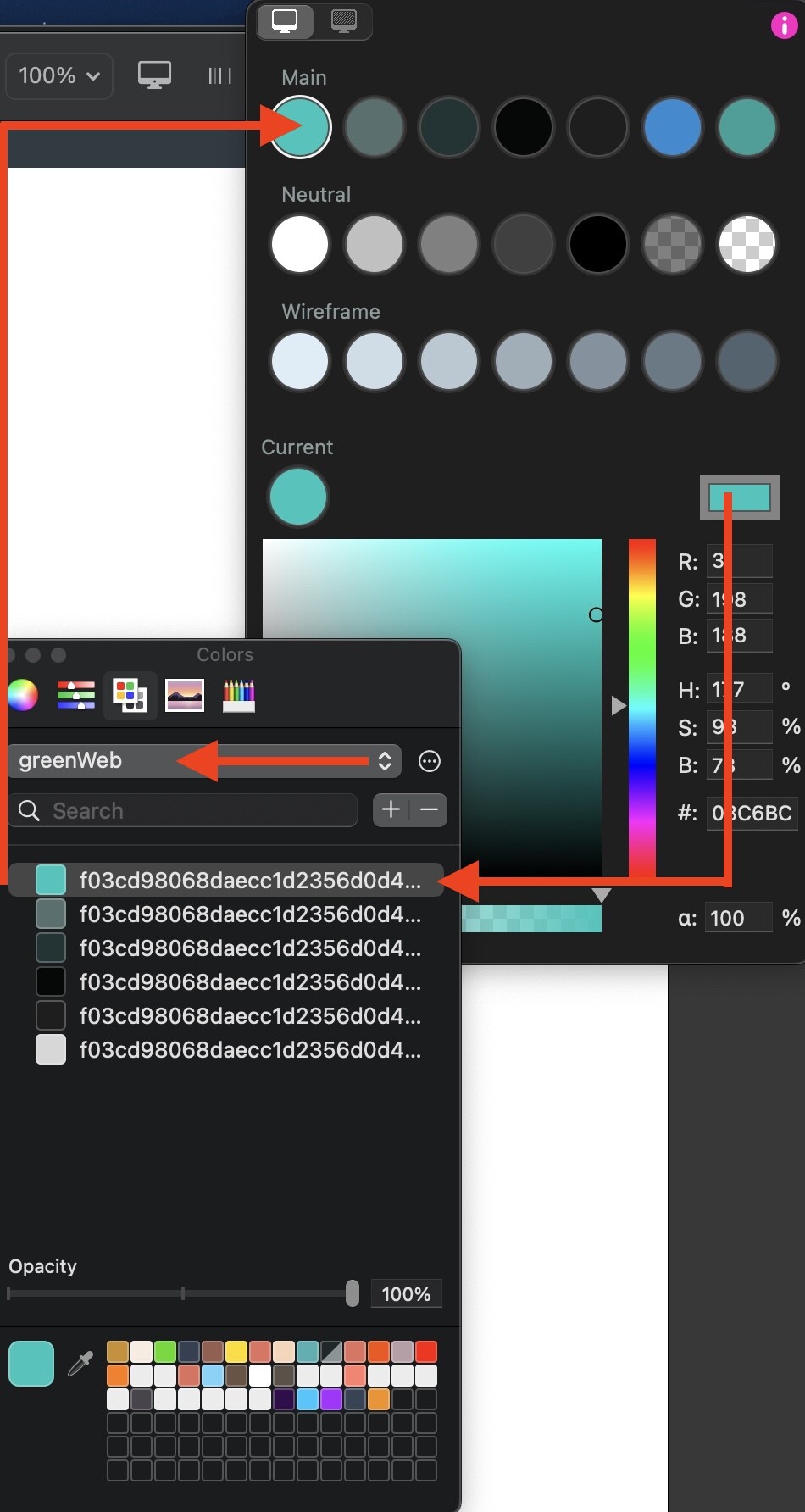
1 Like
I do the same! 
Logo, font styles, colour palette, buttons, patterns, etc…
I wish we had a style format page built into Sitely so we can set it up for per project!
1 Like
I use a standard mood board that I start all projects with. It contains logos, text styles, colour palette and icons. I initially create the colour palette as a system pallet before adding the colours to the Sitely palette. The whole page is then customised on a project by project basis. All the graphic elements are SVG graphics so I can use the colour overlay option in Sitely The mood board page then becomes my asset page - it’s a real timesaver.
1 Like