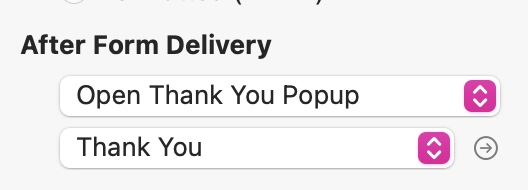
There is an option in the style panel for the submit button. Select the button and choose an on-click action to send the form via email. You will then see an option under the section called After Form Delivery. Choose Open Thank You Popup. Of course, to make this work you must first create the popup on your page. Probably best to use the modal type popup. This will ensure that users actually see the popup and will be forced to close it before continuing browsing your site.
If you are not seeing your thank-you pop up in the popup list, its probably because you haven’t yet created it. When you create and name a popup, it should appear in the popup list for you to select. If it doesn’t appear, you may have a bug in your system. You could try shutting down Sitely and restarting to see if that clears the problem.
You should also note that you won’t be able to test (see the popup in action) in preview. This will only be possible after publishing. The popup will then appear after form submission, which can only be done from the published site on your server.