I have created a gallery of labeled photos using the Image/Video Grid. Is it possible to zoom the photos in the lightbox without them jumping on smartphone display? Customers also want to be able to zoom in the photos to see details. Referenzfotos
What do you mean with jumping?
This happens, when you try to zoom (pinch) the picture in lightbox.Then it jumps uncontrollably on the screen of the iPhone
Hi.
I can see the jumping pics 
Is the 320 layout customized or auto scale?
Mr. F.
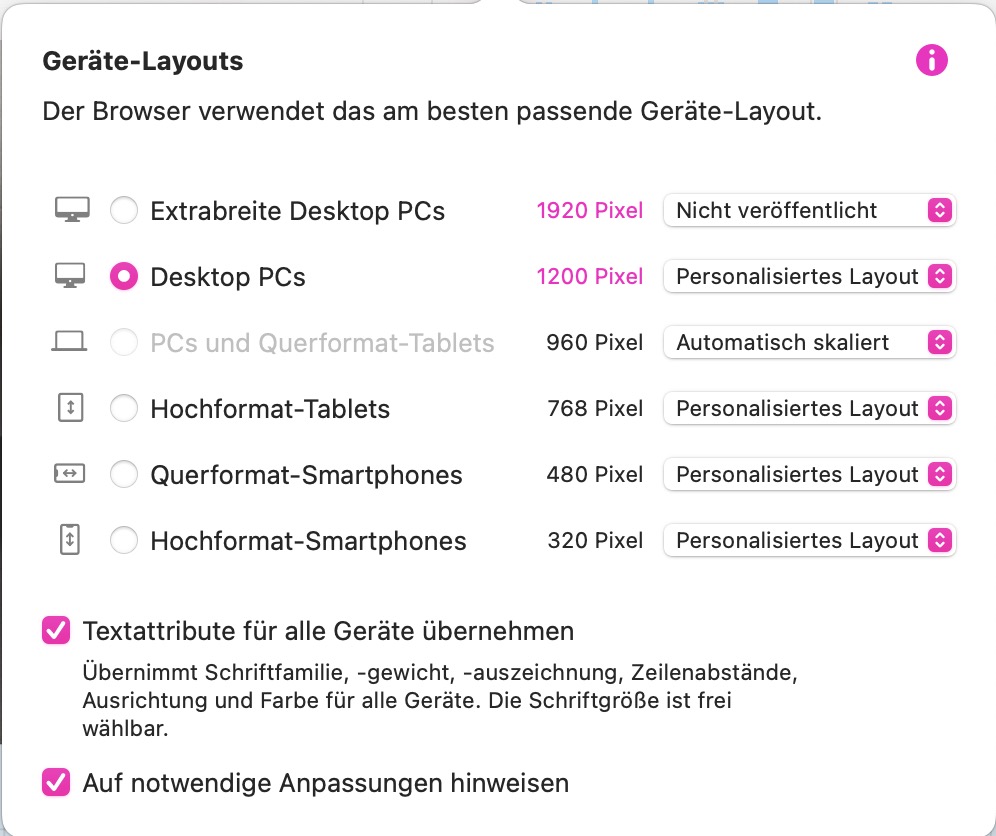
Is “Autoscale for mobile devices” active?
You find it in the settings (bei “Verschiedenes”).
Mr. F.
Yes, autoscale for mobile devices is selected
I too have this problem using safari on an iphone, and my friend sees it using firefox on a pixel.
If I have a picture set to ‘open in lightbox’ on click, it opens in lightbox happily enough. If however I then try to ‘stretch’ it using my fingers, it gets all jumpy, and offsets to one side of the page. The only way to get it back is to hit the back button or similar
I originally had the ‘zoom image in lightbox’ set to unlimited, but thinking this might be the problem, changed it to ‘up to 1600 pixels’
I used ‘custom build’ for 320 phones
When I asked friends to visit my site & give feedback on user experience, this came up.
I’d love to be able to solve it if anyone has any ideas
There does seem to be an issue @Gil on your website as you have described with enlarging the Lightbox on mobile with my fingers.
I think it is best to contact @duncan at feedback@sparkleapp with your project file and explaining the issue you are having on mobile.
Thank you. I will do that
1 Like