So, I have created a form on a sitely website to enrol people in a workshop. The form requires 2 people to enroll at once.
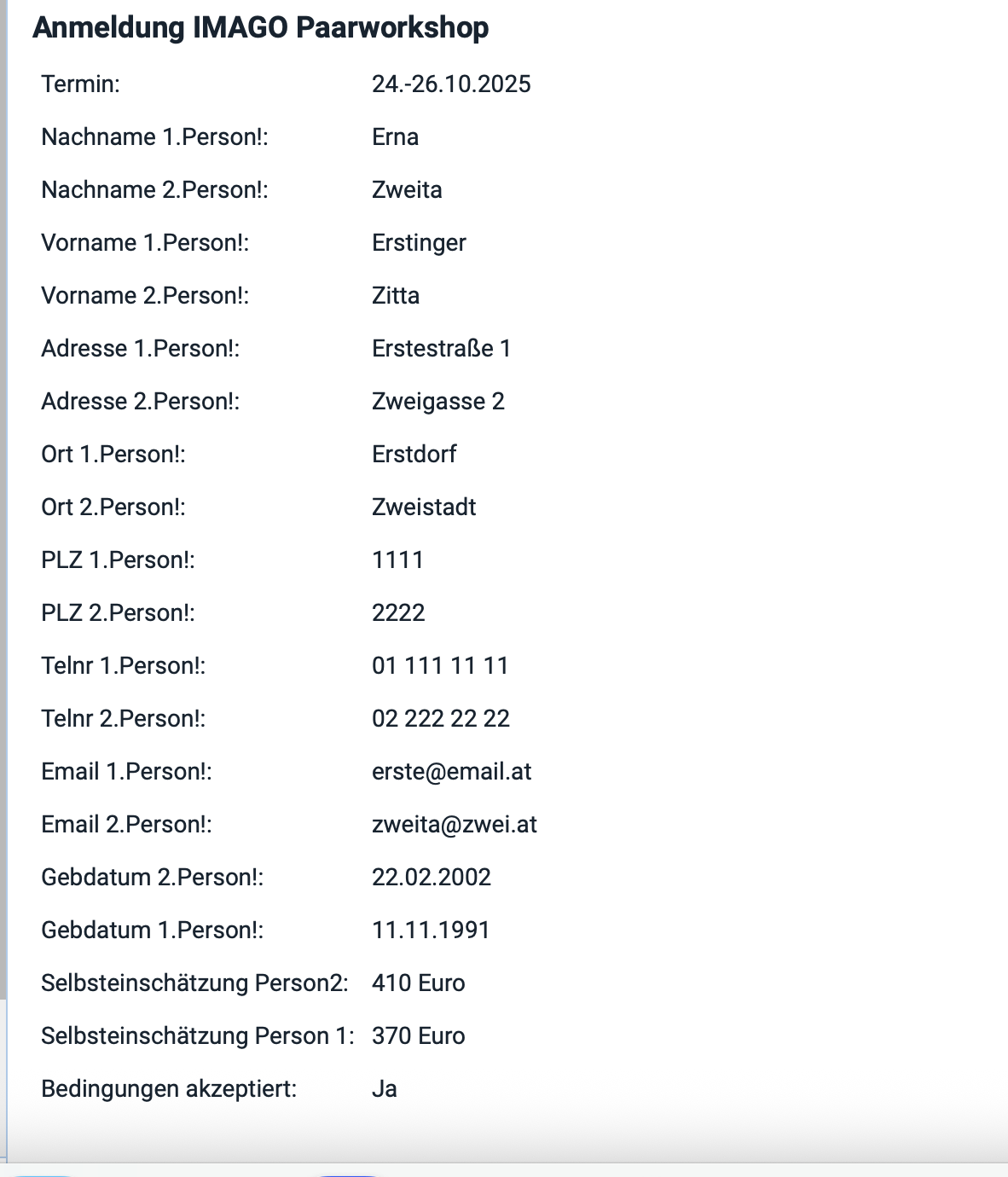
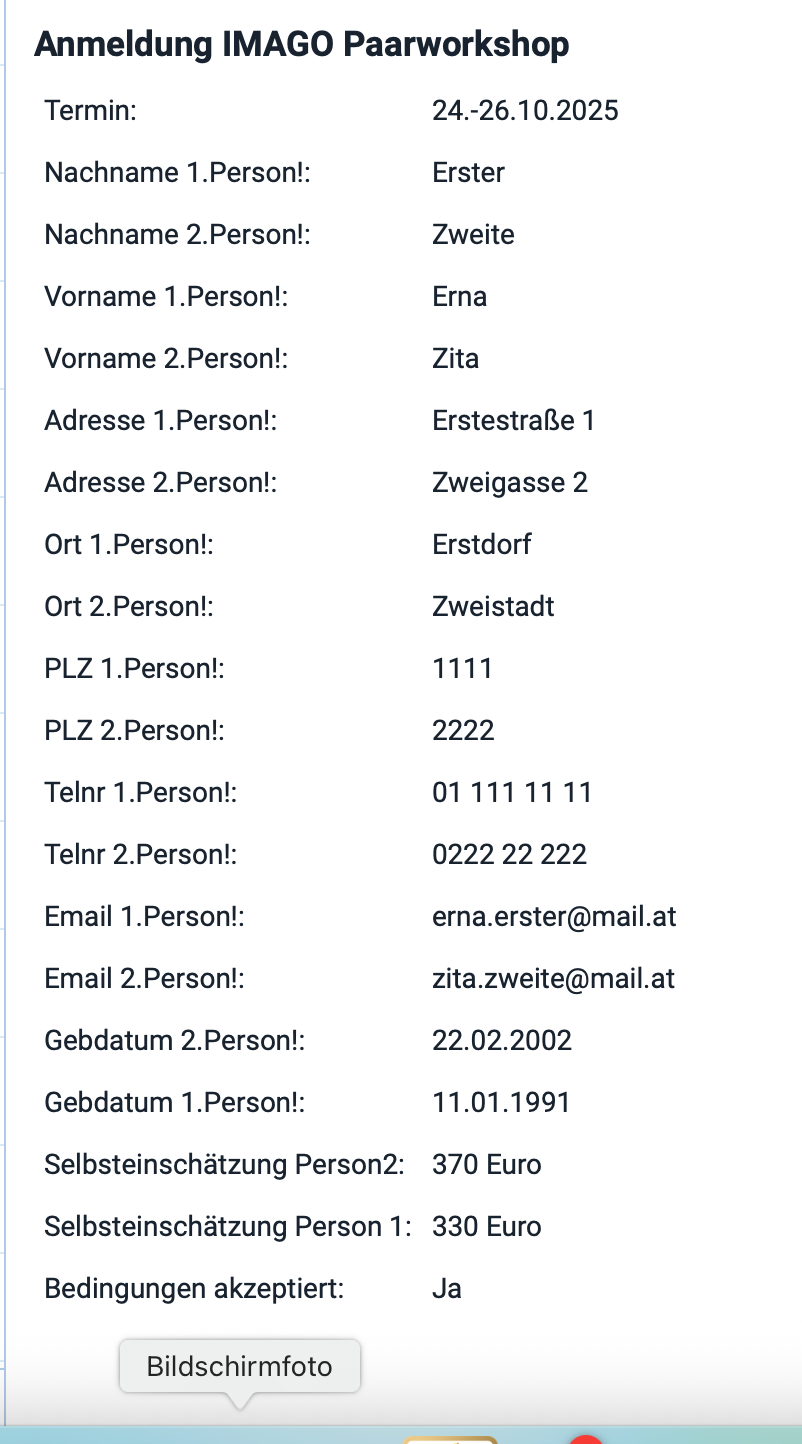
I get the email ok when people submit the form, but my problem is the Items are completely mixed up in the email i get. which makes it very time-consuming to read those and take data from it.
Can anybody maybe help me to find the problem here? I tried grouping the items from person 1 and person 2, to see if this would help.
I included pictures here to show what i mean.
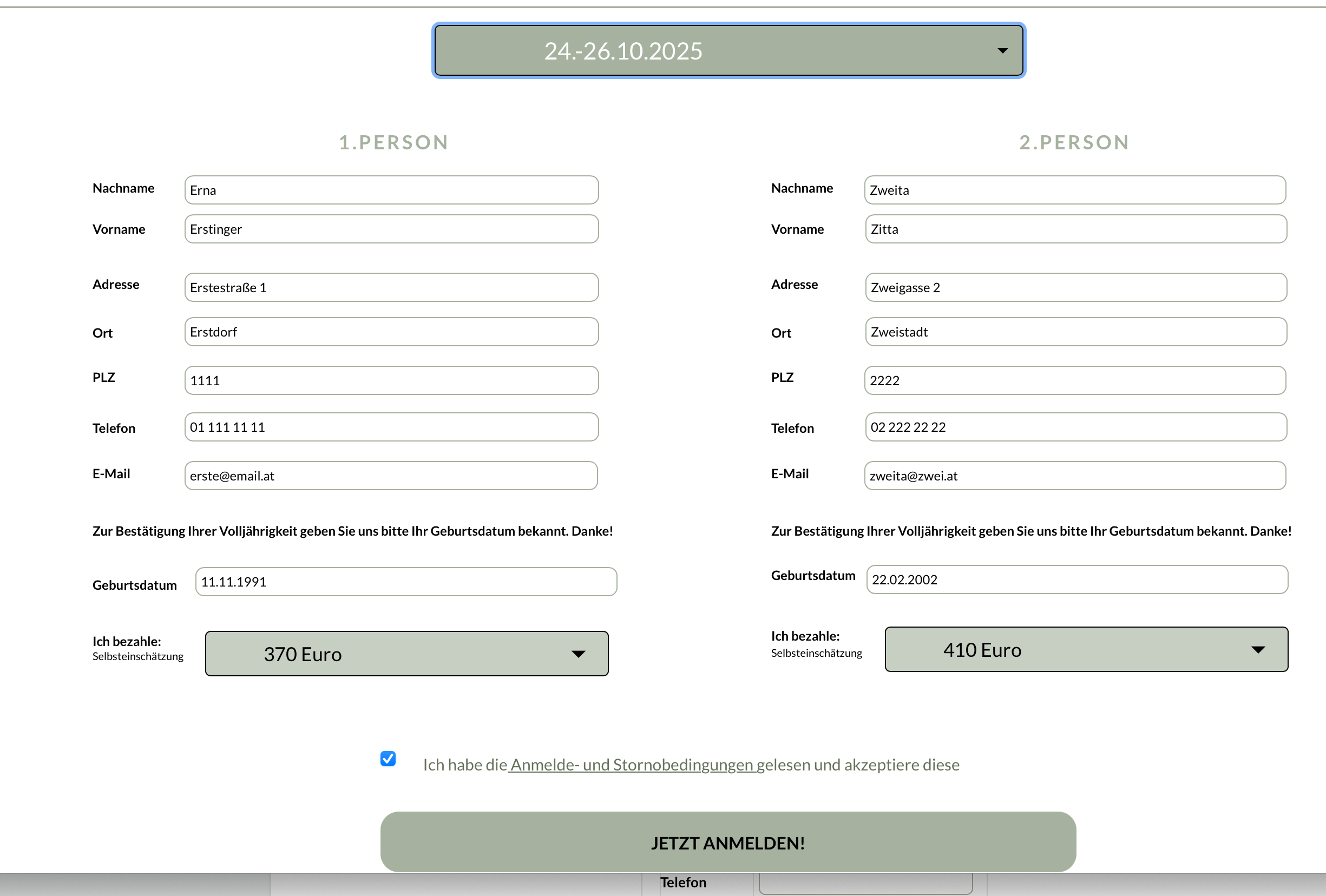
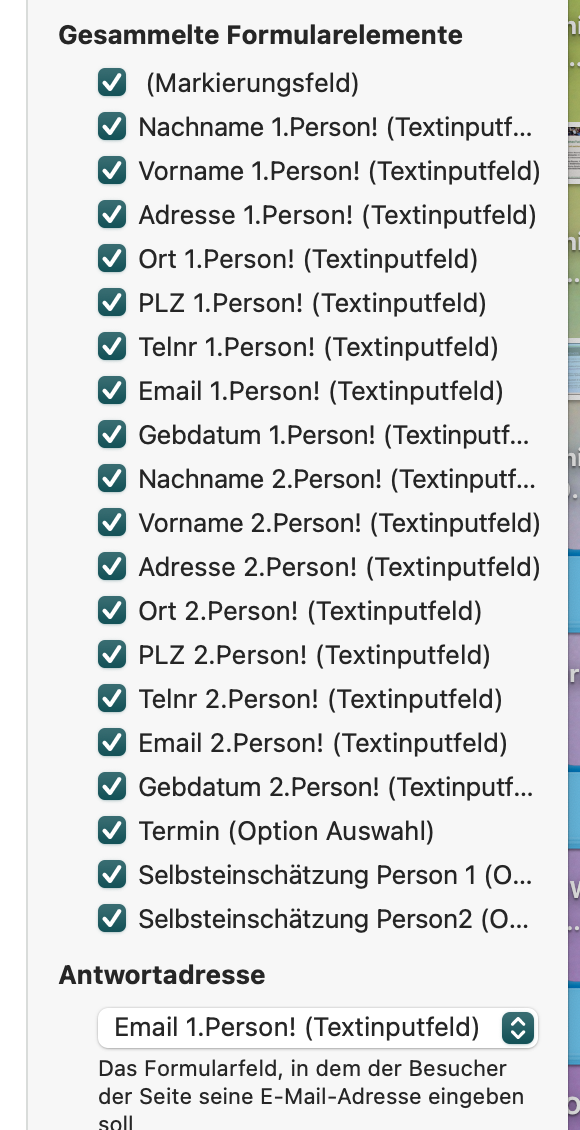
Picture 1 is the picture of the sitely program where you see the form itself in sitely to show how i constructed it side by side as well as my checked items that i want to have sent in the email. Picture 2 is the resulting email I get… where person 1 and 2 are not gouped, but all jumbled up.
Picture 3 is the form itself in sitely to show how i constructed it side by side.
I would like to have an email result where I get ALL the information of person 1 first and then ALL the information of person 2. Can someone guide me how to achieve that?
thank you in advance!!!
What I would suggest @Dooria79 is look at your Layers panel and check the elements that make up your forms. If you have the order in place where the form elements follow in a logical order like what you have on the canvas then your email will come through in a more orderly fashion.
Good Idea, Fig. Looked into it, played around with the order of layers… thought that might be it, but sadly no
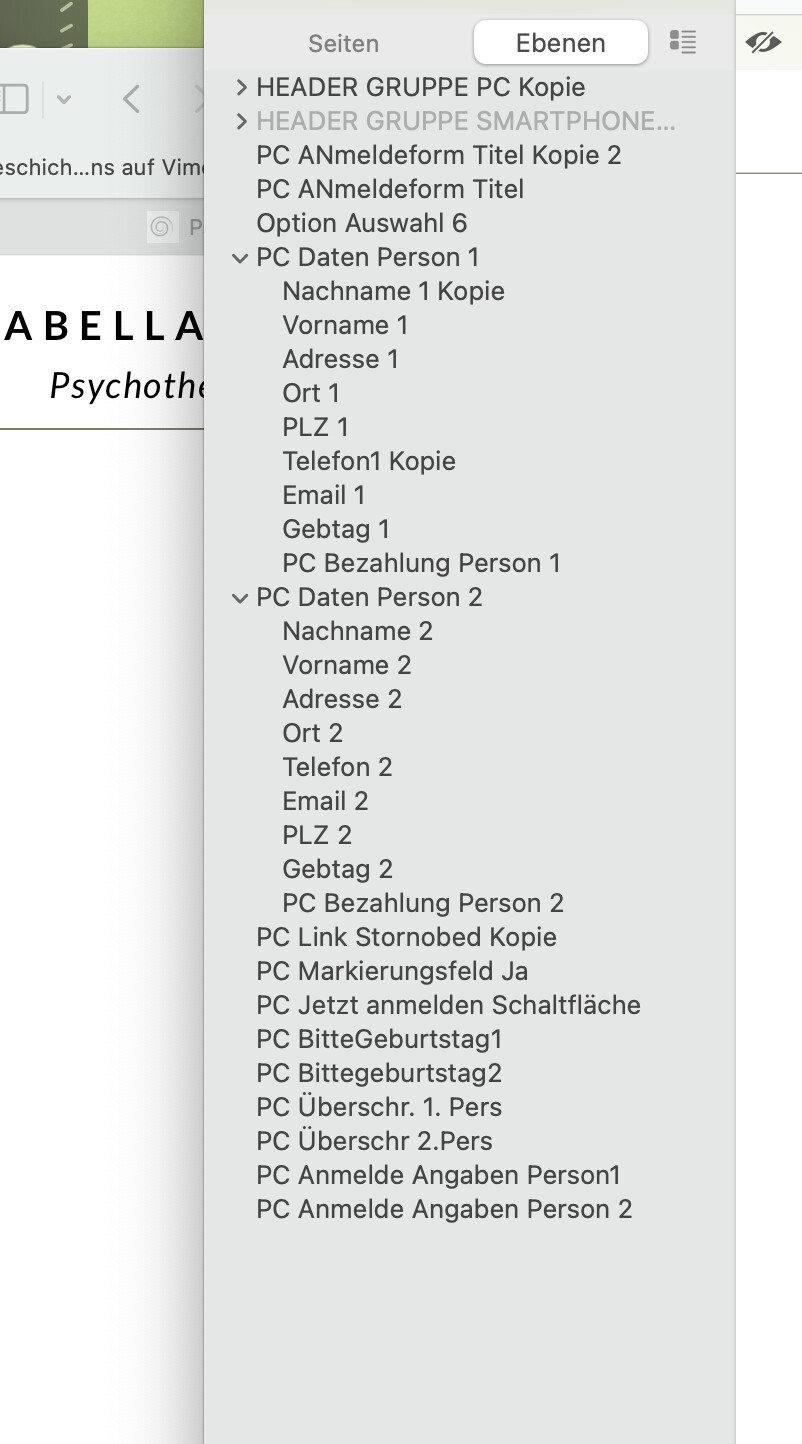
….: See pictures below of my layers, and the resulting email after.
You have 2 columns. Did you add the fields from left to right line by line (1st person Nachname then 2nd person Nachname)? I still believe that the fields appear in the mail in the order you added them to the form.
But only our Master can tell, because we do not see any code while building the page.
At the moment, the only way to properly organize the response you receive is to place the second part of the form directly below the first one. The items in the email are ordered according to how your form elements are arranged on your site. If item A is placed above item B, it will also appear above it in the email, regardless of whether it’s inside a group, a popup, etc.
Thank you to all who gave me insight! I solved it with those tips.
It is really the case, that you cannot just apply one entry field, style it like you want it to look and than copy/paste it as many times as you need fields. That was my mistake. I wanted to make it easier for me…
For future reference, here’s the solution:
You really have to create as many entry fields as you need, and create them in the right order.